This article contains all information you need about Arkadium’s Crossword Games.
Choose one option from the list below:
- Tips
- Calendar
- Settings
- Scoring
- Fairness
- Game Progress
- Useful Shortcuts
- My completion percentage is not 100%, what is the reason?!
- Helpful tips with the Arkadium Virtual Assistant!
- Repeated Puzzles

NOTE: for our new Crossword puzzles, your score will be saved to the leaderboard in a new way - by collecting the total aggregate score of all puzzles you've played this month
Tips
Please watch this video to learn Crossword tips & tricks:
Crossword solving is a skill that improves with practice. The most effective solvers combine vocabulary and general knowledge with careful attention to clue wording, answer length, and crossing letters.
Arkadium offers several types of crossword games, from quick Mini and Easy puzzles to larger Sunday, Hard, Premier, and Cryptic crosswords. The following strategies will help you solve standard crossword puzzles more accurately and efficiently.
1. Start With the Easy Wins
Make a quick first pass and fill in clues you can answer immediately—common expressions, fill-in-the-blanks, straightforward definitions, and familiar abbreviations are good starting points. Don't get stuck on one difficult clue; every answer you add gives you crossing letters that can unlock others.
Choose a puzzle appropriate to your experience, too. Build confidence on easier grids before moving to larger or more difficult crosswords, and remember that Cryptic, Codeword, and Fill-Ins use different solving approaches.
2. Let the Crossings Do the Work
Crossing letters are your strongest source of confirmation. If an Across clue has you stumped, work on its intersecting Down clues and come back to it with more letters revealed.
Before committing to an answer, check that it fits the number of squares, word structure, and any indicated multiple-word format. Spaces, punctuation, and hyphens generally aren't entered into the grid, but the clue can still signal that they are part of the answer.
3. Read the Clue Like a Detective
Every word can matter. Match the answer to the clue's grammar, tense, number, and wording—a plural clue usually calls for a plural answer, while words such as briefly, for short, or initially can signal an abbreviation.
Also watch for punctuation. A question mark can indicate wordplay or a less literal interpretation, while quotation marks may point to a title, phrase, or spoken expression. Don't settle for the first synonym that comes to mind if the clue doesn't fully support it.
4. Keep Your Guesses Flexible
Treat uncertain answers as provisional. If several crossings conflict with something you've entered, revisit your least-confident answers rather than assuming the surrounding clues are wrong.
In themed puzzles, look for a connection between the longer or unusual answers once you have enough evidence. A theme can help predict remaining answers, but don't force one onto a puzzle that doesn't have it.
5. Check Strategically, Not Automatically
When you're stuck or suspect an error, use the game's checking features to identify the problem without giving away more than necessary. Check Letter or Check Word can pinpoint a mistake while preserving most of the challenge; save Reveal options for genuine dead ends.
Likewise, outside references can be useful for learning unfamiliar words, names, or trivia. When possible, investigate the clue or fact rather than immediately looking up the complete answer.
6. Turn Every Puzzle Into Practice
After finishing, review unfamiliar answers and recurring crossword vocabulary. Short words, abbreviations, names, and common crossword conventions tend to appear repeatedly, so recognizing them makes future grids easier.
Build accuracy before speed: hide the timer while learning, then introduce timed solving once you can complete puzzles reliably. Mix different puzzle types and difficulties to broaden your solving skills, and use archived puzzles to practice without pressure.
Calendar
When entering any of the Crosswords, you'll encounter a calendar. This can be used to scroll forward and backward through the available crossword puzzles. Use the arrows on the sides or the slider on the bottom to scroll through the dates. You can see your progress in each of the puzzles, and click to "Play" on the one you would like to solve.
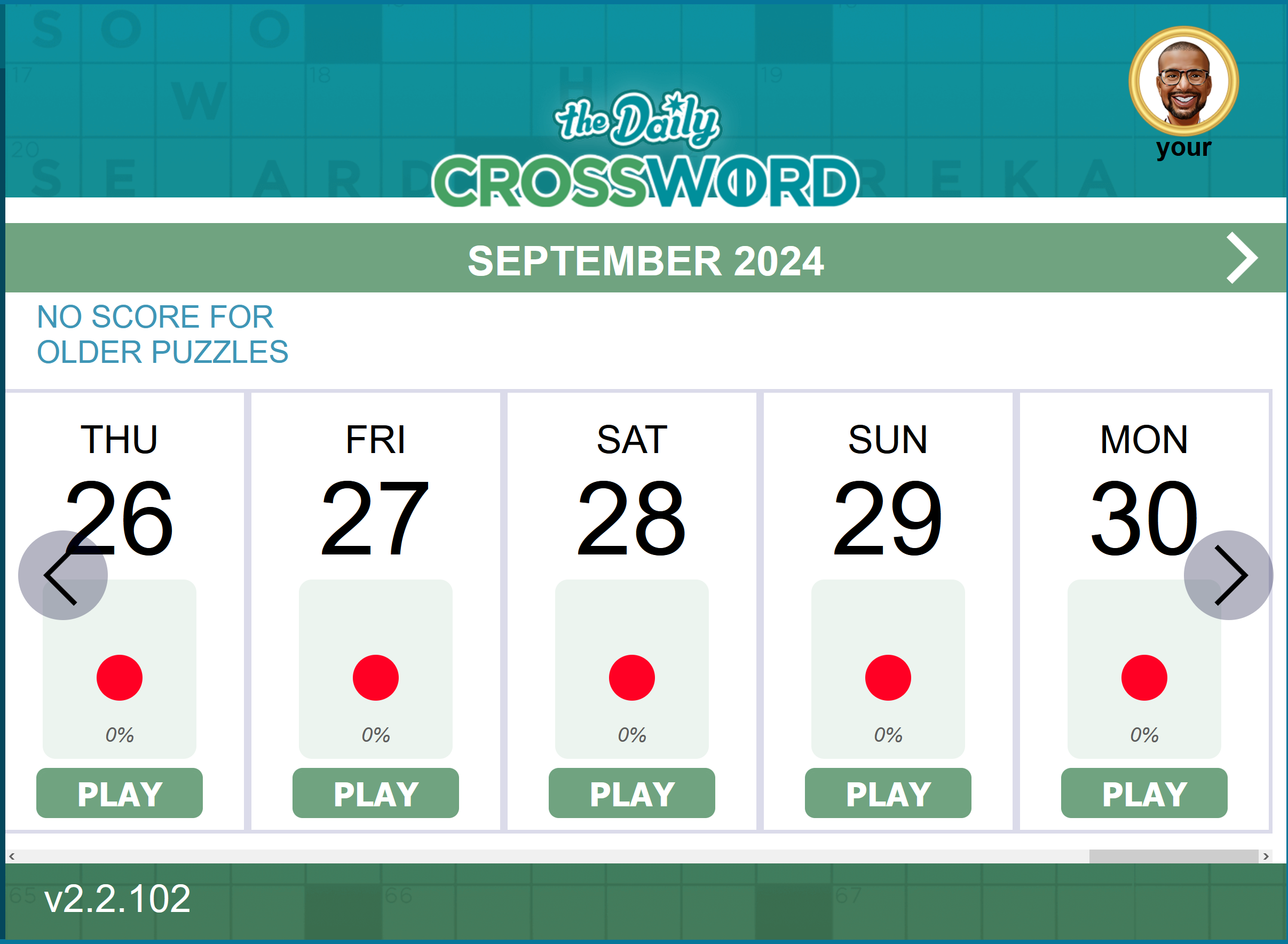
When choosing a puzzle, some of them may appear locked. Different users will have different access to puzzles.
- Users who aren't registered with a free Arkadium Account will only be able to play the latest Crossword puzzle
- Users who are registered and Signed in to their Arkadium Account, will be able to play the latest and the previous day's Crossword puzzle.
- Users who are subscribed to Arkadium Plus will have the last 30 days of puzzles at their disposal.
NOTE: Our Hardest Crossword Ever has no calendar, because it's meant to be a single Crossword puzzle that will take you a long time to complete. This game is simply a single challenge and will not be updated with future puzzles.
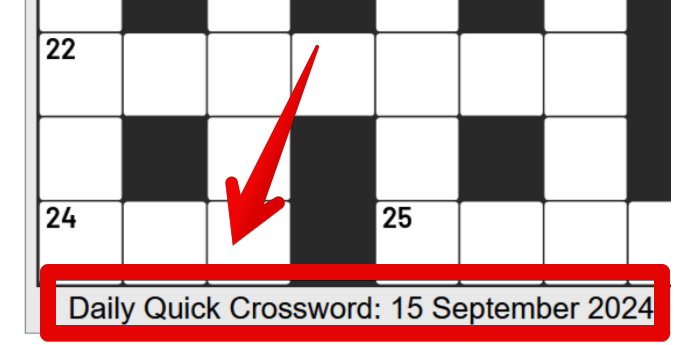
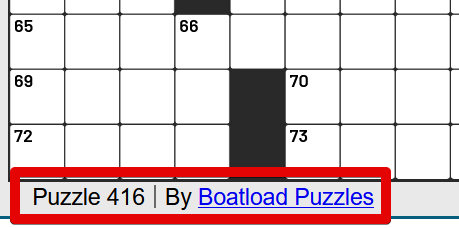
When entering a puzzle, you can find its title and date on the bottom left, as seen here. You can also find the puzzle author, as well as any theme the puzzle may have:
Settings
The Settings feature is located in the top left, by using the hamburger icon (3 lines)
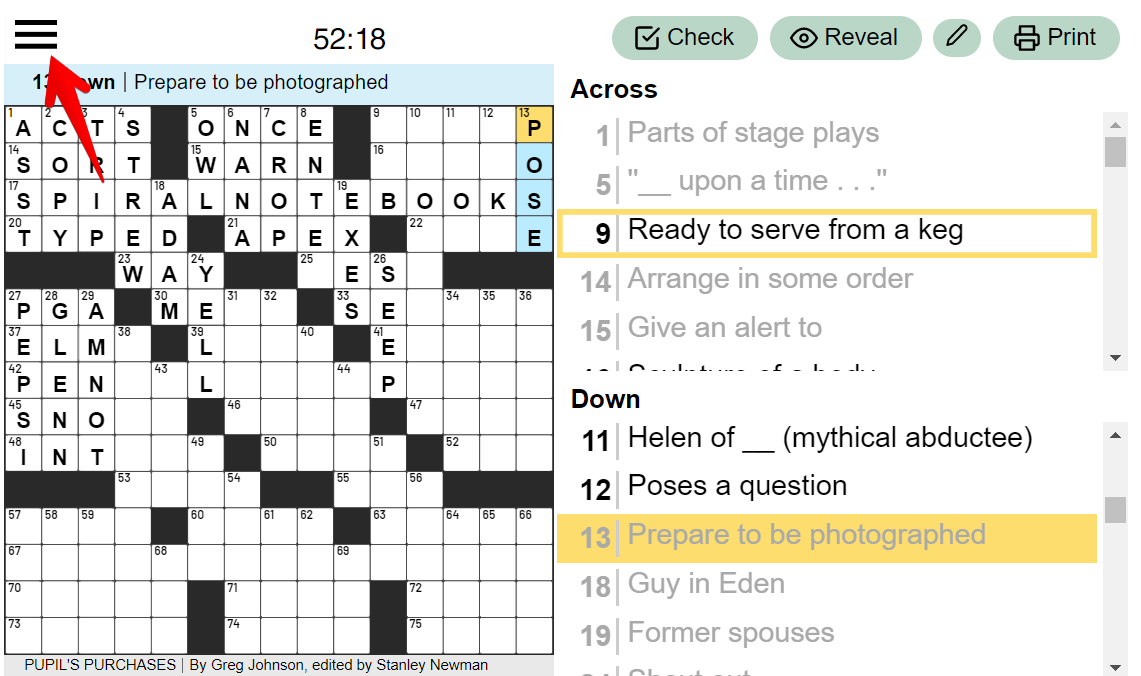
In the Settings menu, you can modify various features in the game.
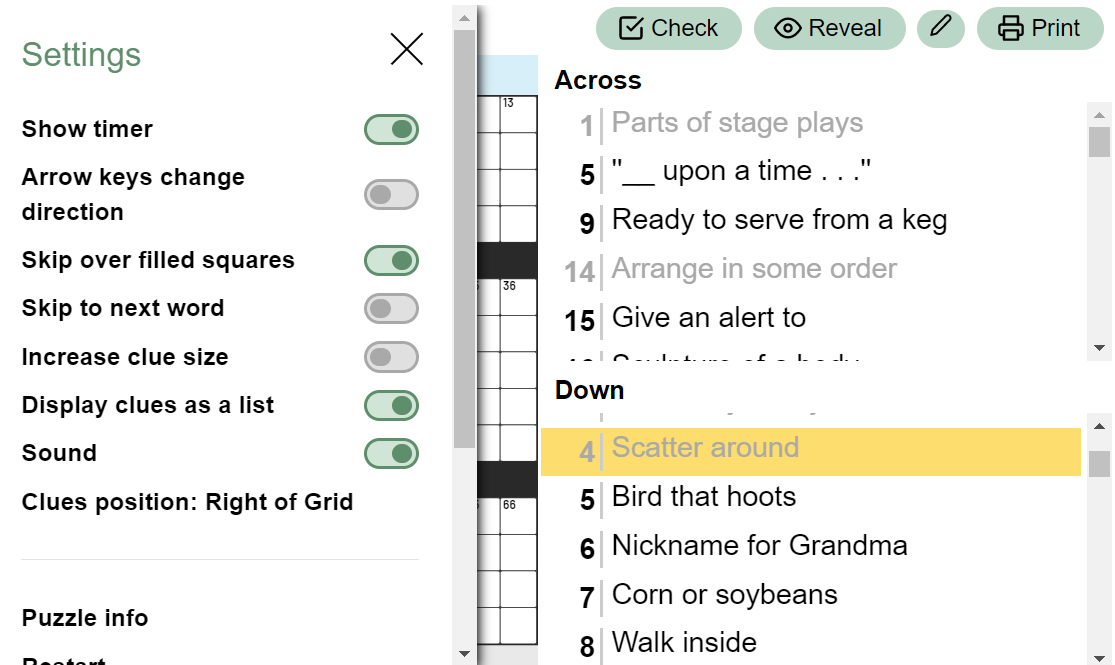
If you place your mouse over each of the options, an explanation of each option will appear.
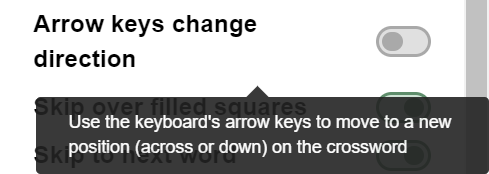
- Show timer allows you to choose whether the timer on top is shown. The time will keep ticking while you play, regardless of whether it's shown. It will still affect your final score.
- Arrow keys change direction allows you to toggle whether pressing the arrow keys only changes the cell you're on or whether it changes the direction in which you type.
- Skip over filled squares allows you to keep typing while skipping over the squares you've already filled.
- Skip to next word allows you to keep typing in the next word on the puzzle without selecting the square.
- Increase clue size makes the letters in the clue section larger without changing the size of the rest of the game.
- Display clues as a list toggle between your clues displaying as a list on the side of your puzzle or displaying only a single clue for the word you've selected on the bottom of the puzzle.
- Sound turns the sound effects on or off.
- Clues Position changes whether the clues are displayed on the left or the right side of the grid.
For mobile devices
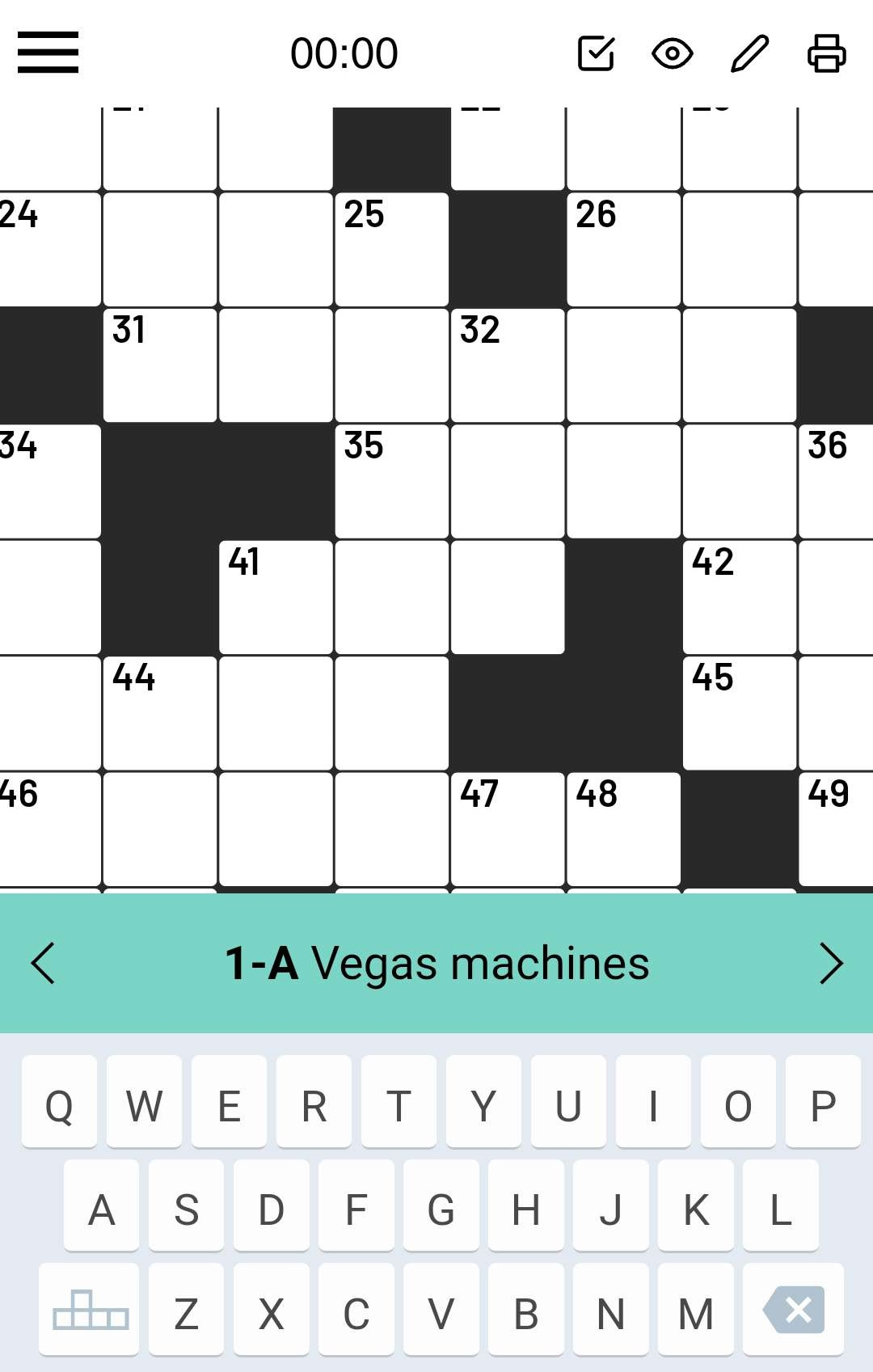
Keyboard Navigation. If you're playing the game on a mobile platform, such as a smartphone or a tablet, you will notice one extra option - Keyboard Navigation.
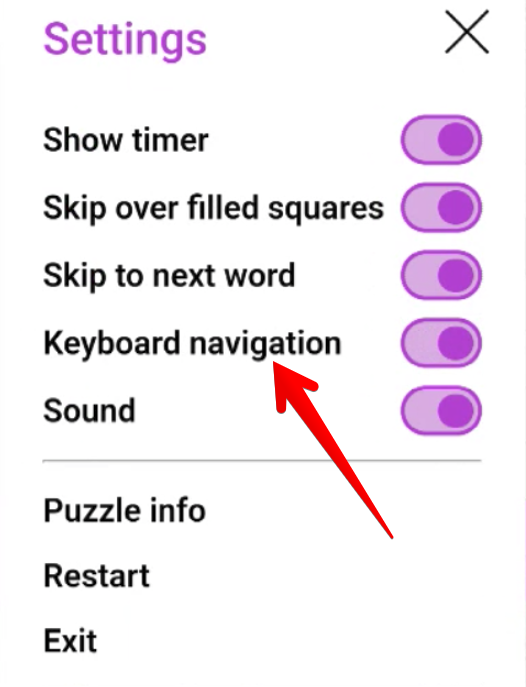
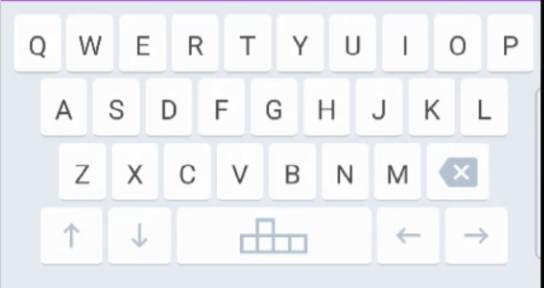
The function of this option is to let you use your mobile keyboard as you would use a computer keyboard when navigating the puzzle by introducing arrows on your screen. You can use these to move around the puzzle and the space bar to switch between horizontal and vertical words.
Pinch and zoom. If you play on a mobile device, you can pinch the grid to zoom in and see the letters closer.
Check and AutoCheck
The Check feature checks whether the letter, word, or puzzle you've typed is correct. So, if you want to check answers in the Crossword game, this option is exactly what you are looking for.
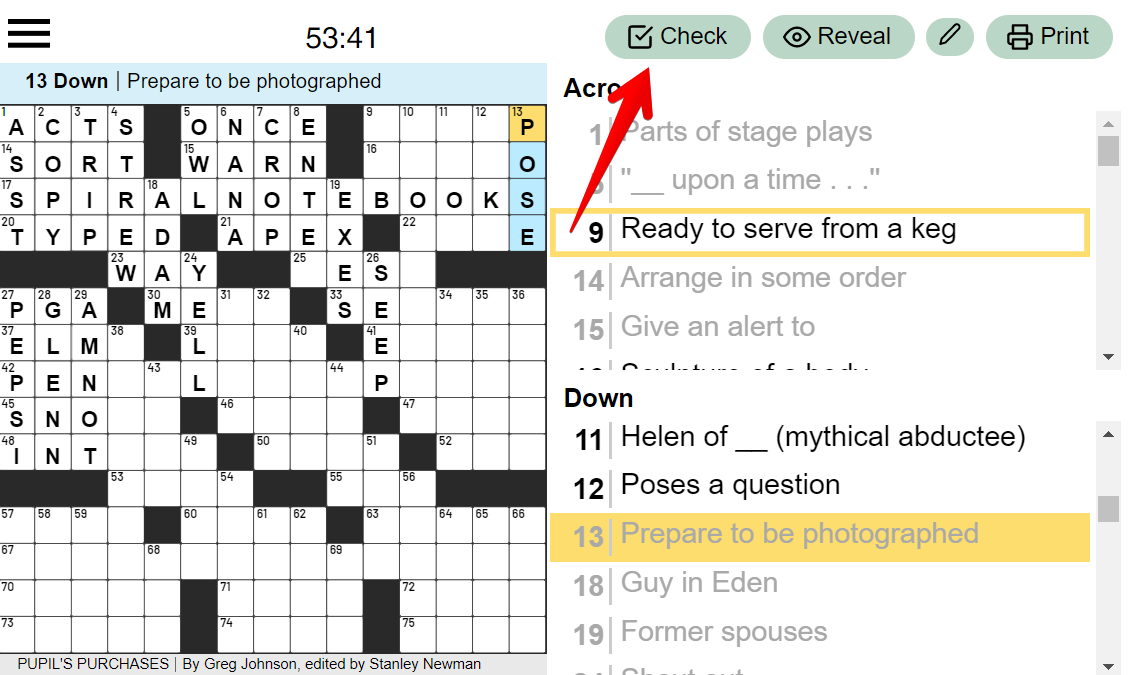
After you've completed a word, you can check
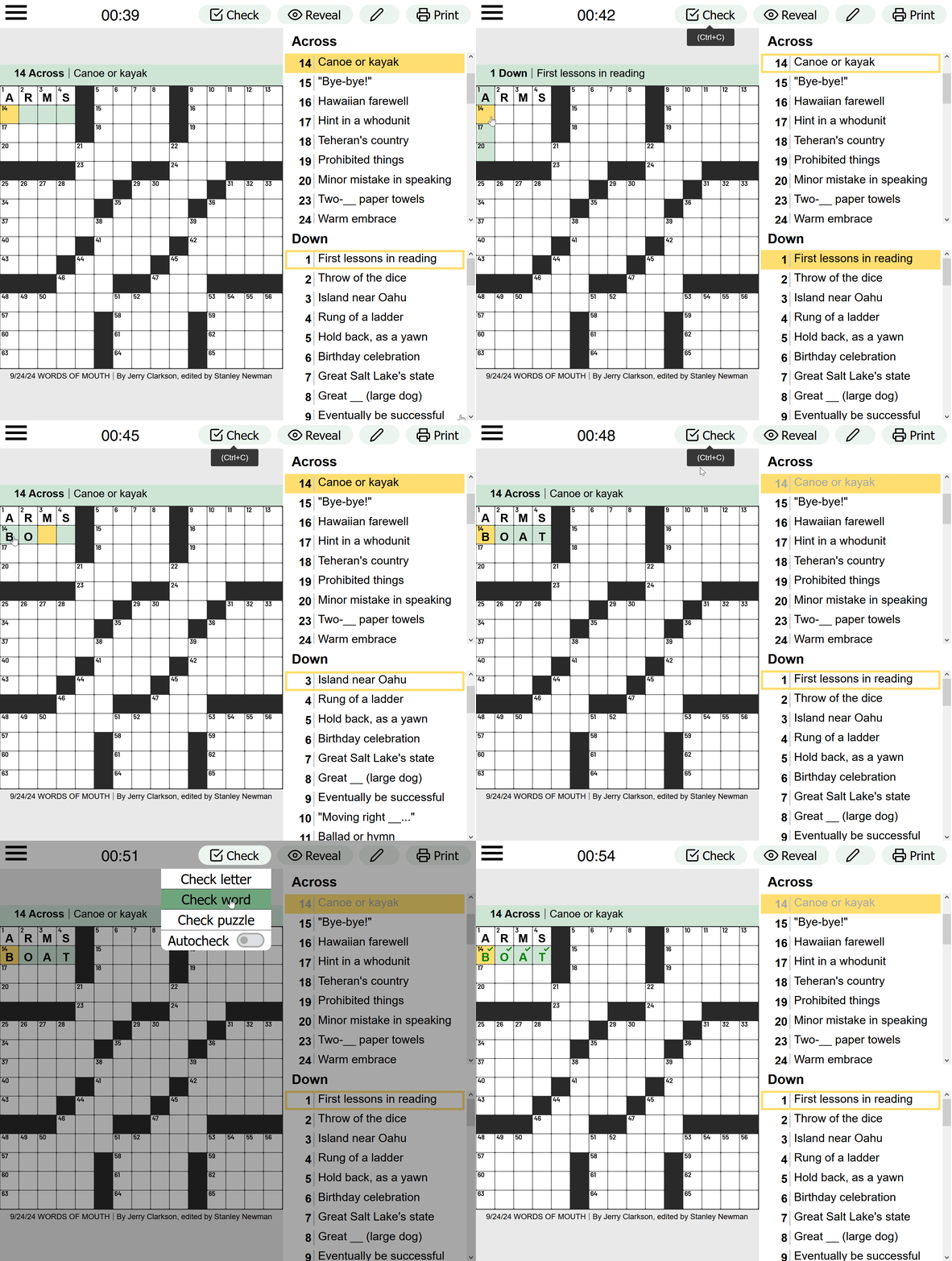
You can check the letter you've selected, the word, or the whole puzzle. If you've toggled "Autocheck," the puzzle will automatically check whether you've made mistakes as you type.
Reveal
Reveal can show you a part of the puzzle that hasn't yet been guessed.
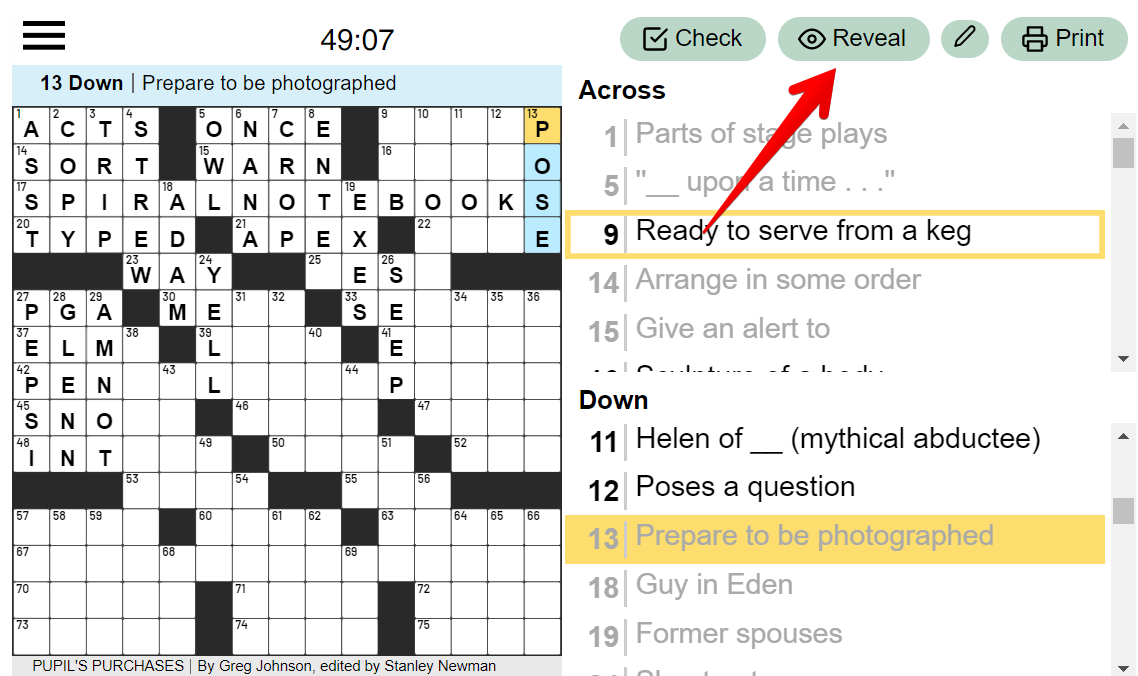
You can choose between revealing a letter, a word, or the entire puzzle.
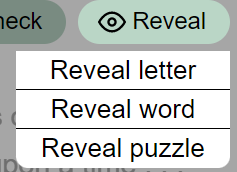
By choosing to reveal a word or a letter, please note that you will not receive any score for that same word.

Pencil Feature
If you're indecisive about a word or letter and you're not sure if it fits, you can use the Pencil Feature.
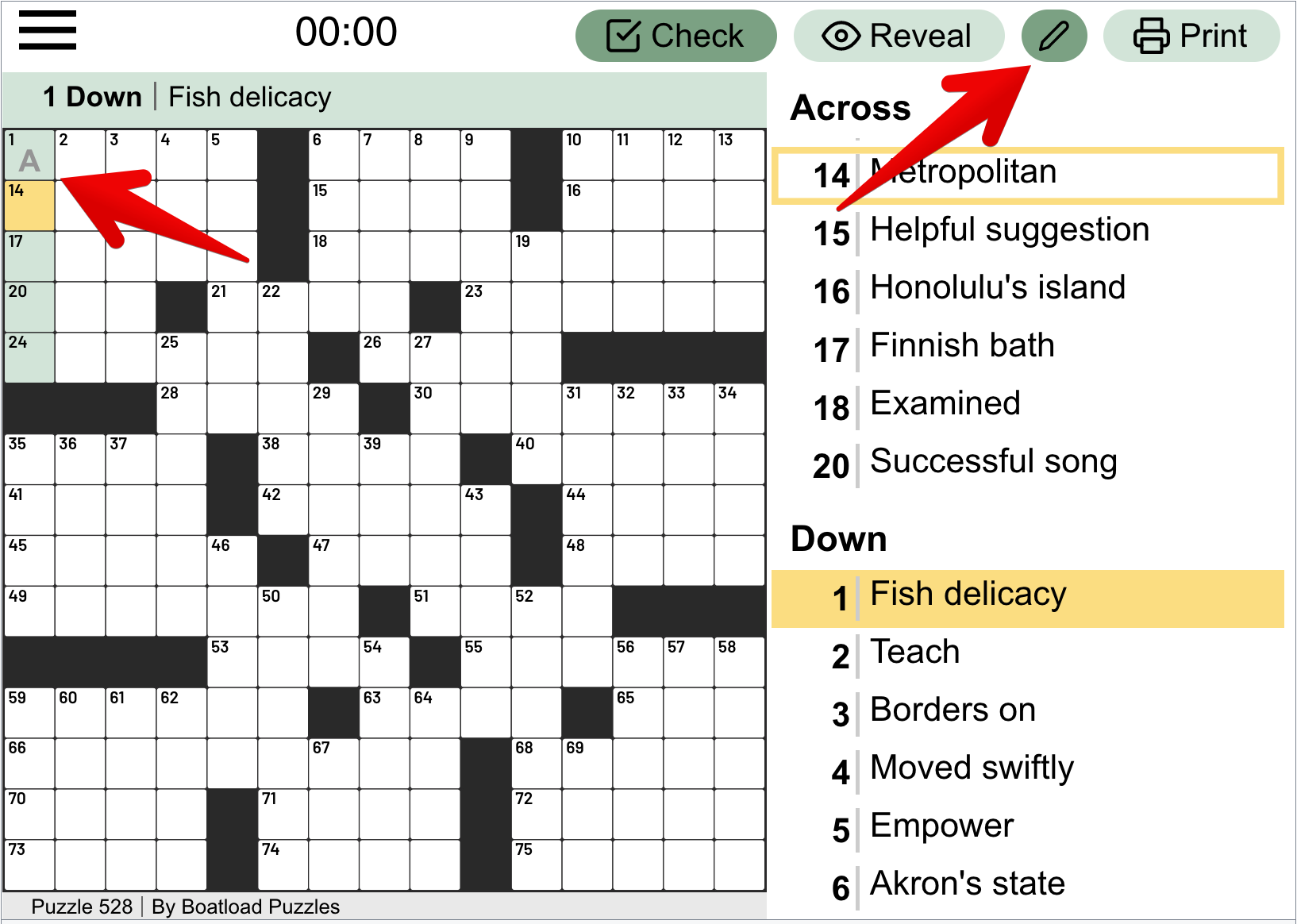
The Pencil feature allows you to insert any letter into any cell without it being recognized as having been completed in the puzzle. If you're unsure about a word or a letter being the right one, but you'd still like to write it, perhaps to erase later, you can click on the pencil icon in the top right and type any word as you would. The letter will appear grey instead of black, so you can know which ones you've inserted as a temporary choice or as your final answer.
This is great for when you'd like to check for answers, but you're not sure about all of your choices.
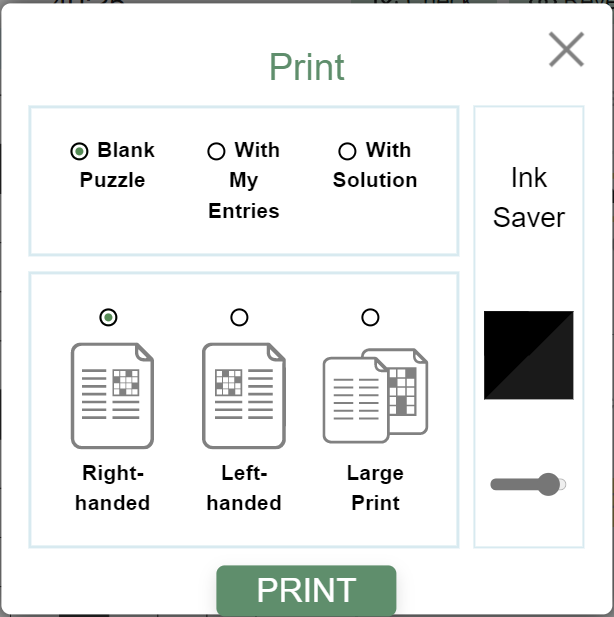
Print is for when you'd like to print the puzzle on a sheet of paper.
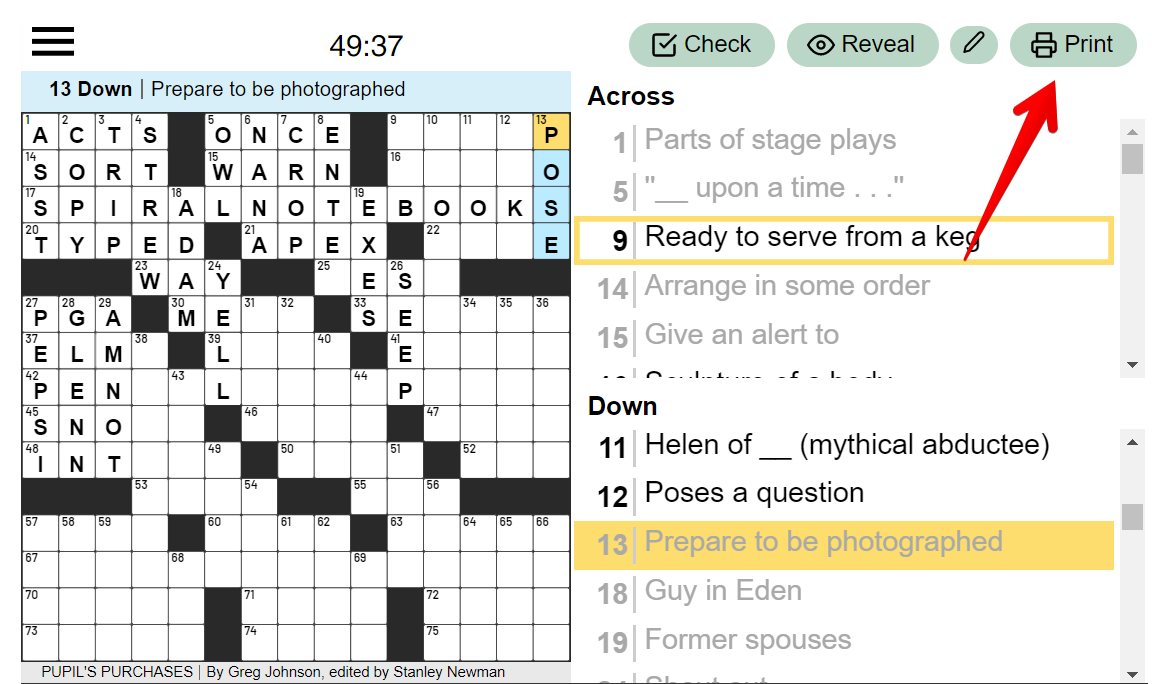
The Print menu allows you to print the puzzle differently, with clear visual options on how to do so.
Scoring
ATTENTION: Please note that the Crossword game features a cumulative scoring system. Players are required to submit their TOTAL SCORE on a daily basis for all three leaderboards: Daily, Weekly, and Monthly. In order to secure a favorable position on the leaderboard, it is essential to maintain consistency and participate in the new crossword game each day.
How is the daily score calculated?
The daily score consists of 3 parts:
- The Puzzle Score. It equals the % of the puzzle that was completed without help X 100 - This is the percentage of cells filled without using the "Reveal" and "Check" buttons.
- The Time Bonus.
- Two Minute Mini - (120 - Solve Time in Seconds) * 10
- Arkadium Mini - (210 - Solve Time in Seconds) * 10
- The Daily Crossword - (720 - Solve Time in Seconds) * 10
- Easy - (850 - Solve Time in Seconds) * 10
- Hard - (1,700 - Solve Time in Seconds) * 10
- Sunday - (2,700 - Solve Time in Seconds) * 10
- All Others - (1,000 - Solve Time in Seconds) * 10
- If your puzzle is finished within the allowed time, you will receive a time bonus. (This time bonus will only be awarded if you complete at least 50% of the puzzle manually, without help).
- The Daily Bonus. It equals 50 points - For example, if you completed August 31st's puzzle on August 31st, you will get a daily bonus.
General Formula:
Daily Score = Puzzle Score + Time Bonus + Daily Bonus
NOTE: if you wish to review your answers at the end of the game, please, press the HIDE button at the top left corner of the game end pop-up
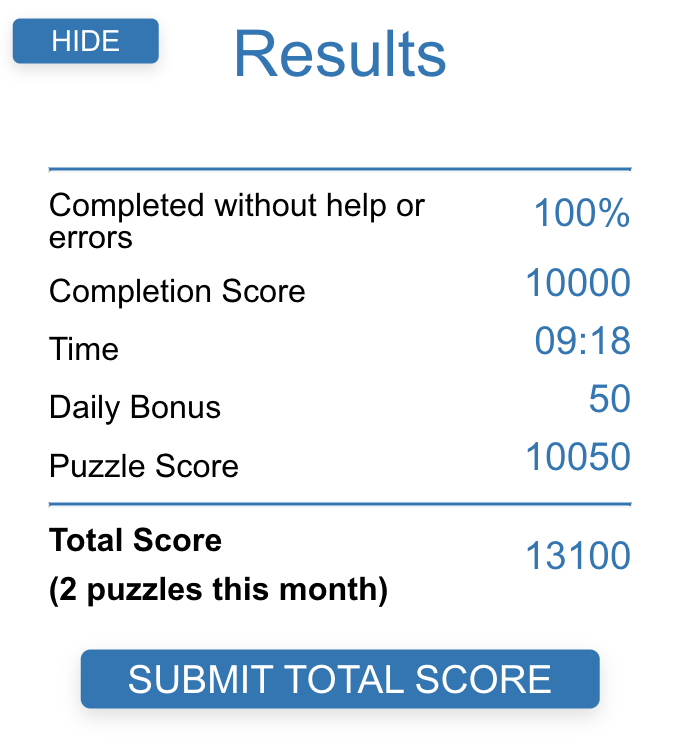
Let's breakdown the example above and calculate the score step-by-step:
- Puzzle Score = 10 000. 100% of the puzzle was completed without help: 100 x 100 = 10 000 points.
- Time Bonus = 0. The puzzle was finished within 9 minutes and 18 seconds. There is no time bonus in this case because 9 minutes and 18 seconds equals 558 seconds, and this number is higher than the 300 seconds limit, which is why the time bonus is not awarded in this case. (Remember, this time bonus will only be awarded if you complete at least 50% of the puzzle without help).
- Daily Bonus = 50. The puzzle was completed on the daily puzzle date (the 2 October puzzle was completed on the 2 of October), and 50 points Daily Bonus was awarded.
The Daily score = 10 000 + 0 + 50 = 10 050 pts
Total Score (2 puzzles this month) = the previous day's score (3 050) + today's score (10 050)
= 13 100 points.
How is the total score calculated?
Your total score is the sum of all of the daily scores you finished within a month.
For example, if it's August now, and you have finished the following puzzles this month:
- August 4th = 8950 points.
- August 18th = 9450 points.
- August 31st = 8200 points.
Your total score after completing that August 31st puzzle would be calculated like this:
8950 points + 9450 points + 8200 points = 26,600 points.
This result should be saved on the leaderboard.
What happens when a new month starts?
At the start of a new month, your monthly score will reset to zero again.
In the example above, if the last puzzle you completed in August was on the 31st, on September 1st, you start again from zero.
NOTE: keep in mind, Arkadium players are located across the world, but our leaderboards are set on Eastern Time, which in the winter months (EST) is five hours behind Coordinated Universal Time (UTC-05:00) and Eastern Daylight Time (EDT) during the summer months which is four hours behind Coordinated Universal Time (UTC-04:00). So, while you may be playing your game on August 31st at 9:30 PM Pacific Daylight Time (PDT), it's already September 1st at 12:30 AM EST, so the leaderboards may already reset your monthly score
Fairness
We understand how important it is that the Crossword games are fair with their scoring. We take great pride in the Crossword puzzles that we produce and make available for the Arkadium website, as well as in our dedicated playerbase. However, any crossword puzzle can be cheated by simply looking up the results beforehand, whether it's a digital crossword or a paper one.
This is something impossible for us to control, as we cannot stop players from looking up puzzle results by using other accounts or websites. This process does not result from modification of the game itself, and we do not wish to punish our fastest players by imposing a limit on puzzle-solving.
For this, we apologise, as we understand not all scores will be fair. But we hope that the fun of the challenge for each player still remains, as we continue offering a great Crossword experience.
Errors
At times, errors might appear in our Crosswords. Arkadium has a very large archive of puzzles, and for a multitude of reasons, including corrupted files, human error, outdated information and many other factors, some puzzles may contain errors. You can let us know about these errors so that we can fix them and make sure that future puzzles won't contain such problems.
Please make sure to reach out with enough information so that we'll know exactly what the error is. Please include what Crossword you found the error in (e.g. Daily Crossword, Stan's Daily, Easy Crossword, etc), the date of the puzzle, whether it's Across or Down, and the clue number.
For example: "I've found an error in the newest Daily Crossword for the 21st of September. The Shea Stadium is incorrectly named as a New York Stadium when it no longer exists. The clue is Down 23."
These reports are quite appreciated by our team, because we enjoy having games without any issues.
Game Progress
All of the progress that is made in all of the Arkadium Crossword games is directly saved, allowing you to tackle brand new Crossword puzzles each day while seeing all the progress you've completed in the past.
However, it's important to note how this progress functions, so that you can avoid losing it while competing for the Leaderboard's top spots.
Most Crosswords available in the Arkadium.com website feature a cloud saving system. This means that whatever progress you make in them, will be saved to your account.
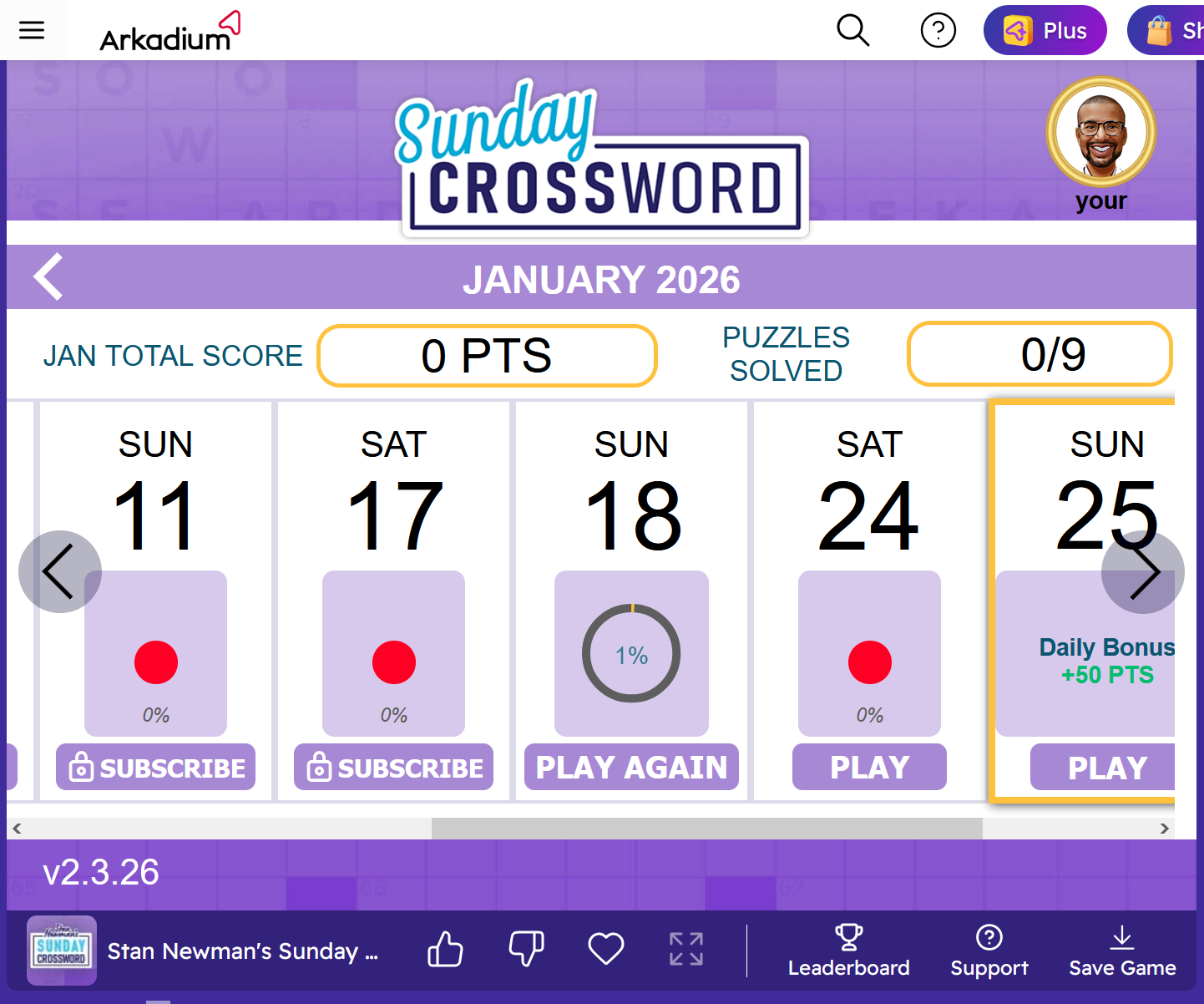
This can be seen when opening any Crossword while logged into your Arkadium account. Your account will appear on the top right, while your progress is shown.
Some of the older puzzles, do not have this system. As such, when playing these other games, a different system is used. local saving in your browser's cache files. This means that when clearing files such as cookies, history and cache, your progress will be deleted. As such, if you play these games, we recommend clearing these files at the end of each month, so that your leaderboard progress will not be affected.
WARNING: When you're not signed in, your browser will save cloud saved games using the cache system as described in older puzzles. Please be careful, as if you save a game using the cache system and sign into your account afterwards, your progress might be overwritten. We always recommend signing into your account before starting the game.You can check out more details on how the progress work in this article: I've Lost My Progress! Why?
NOTE: The cloud saving system is only available in Crosswords on the Arkadium.com website. Any other website where Arkadium games are available will use the local browser file system to save all progress, so please be careful with clearing any files.
WARNING FOR SAFARI BROWSERS: Due to a few recent updates on Mac OS systems, the Safari browser has become incompatible with some of the progress saving systems. Unfortunately, Apple's security clearances aren't always compatible with the way progress files are saved. For this reason, we recommend using a different browser, such as Chrome, Firefox or Edge
Useful Shortcuts
- Navigate cell by cell through the crossword by using the Arrows on the keyboard.
- The Insert (INS button allows you to reveal one letter on the game board.
- You can advance to the next word by clicking Tab on your keyboard. If you want to move backward, press Tab + Shift.
- To erase a letter, press the Backspace or Delete keys.
- If you want to change the direction from Across to Down or vice versa, use the Spacebar key.
My completion percentage is not 100%, what is the reason?!
At times, the percentage of completion in your puzzle might appear different than expected.
I'll take some time to explain how percentages work in the Crosswords. First, let's look at Calendar Percentages.
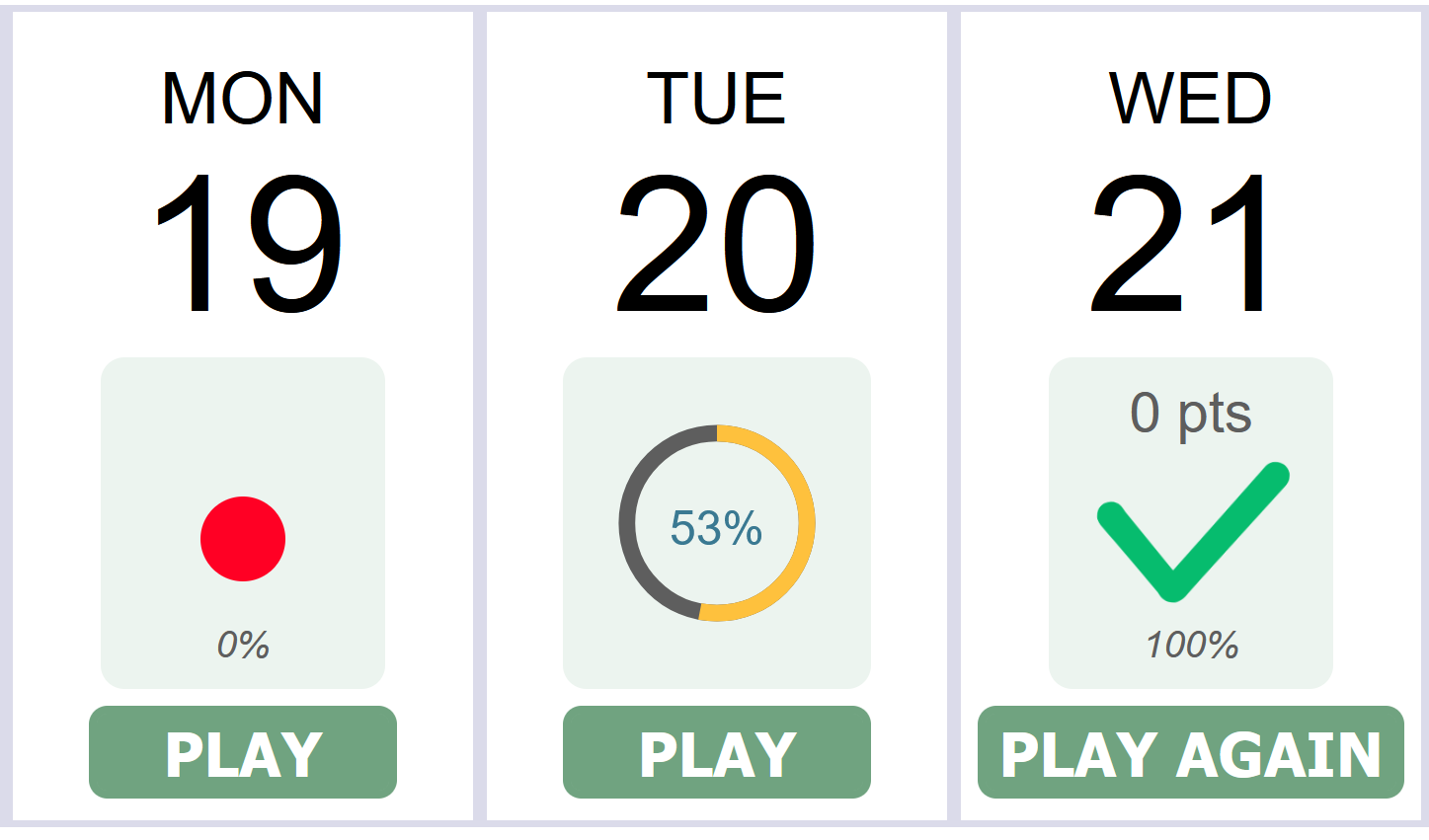
The Calendar in the beginning of the game where you pick which Crossword you'd like to play, shows how much of the puzzle was completed. Puzzles that haven't been played have a red dot, and a "0%" percentage marker. Puzzles that have only partially been completed, have a completion circle, that fills up as more cels get filled with correct results, and the appropriate percentage marker. A fully completed puzzle will have a green checkmark, and a "100%" percentage marker.
ATTENTION: Please note that using helpers or having done mistakes will not affect the Calendar percentage, as long as all of the cels end up filled with the correct letters.
Now let's take a look at the final results screen. This will present percentages in a different way.
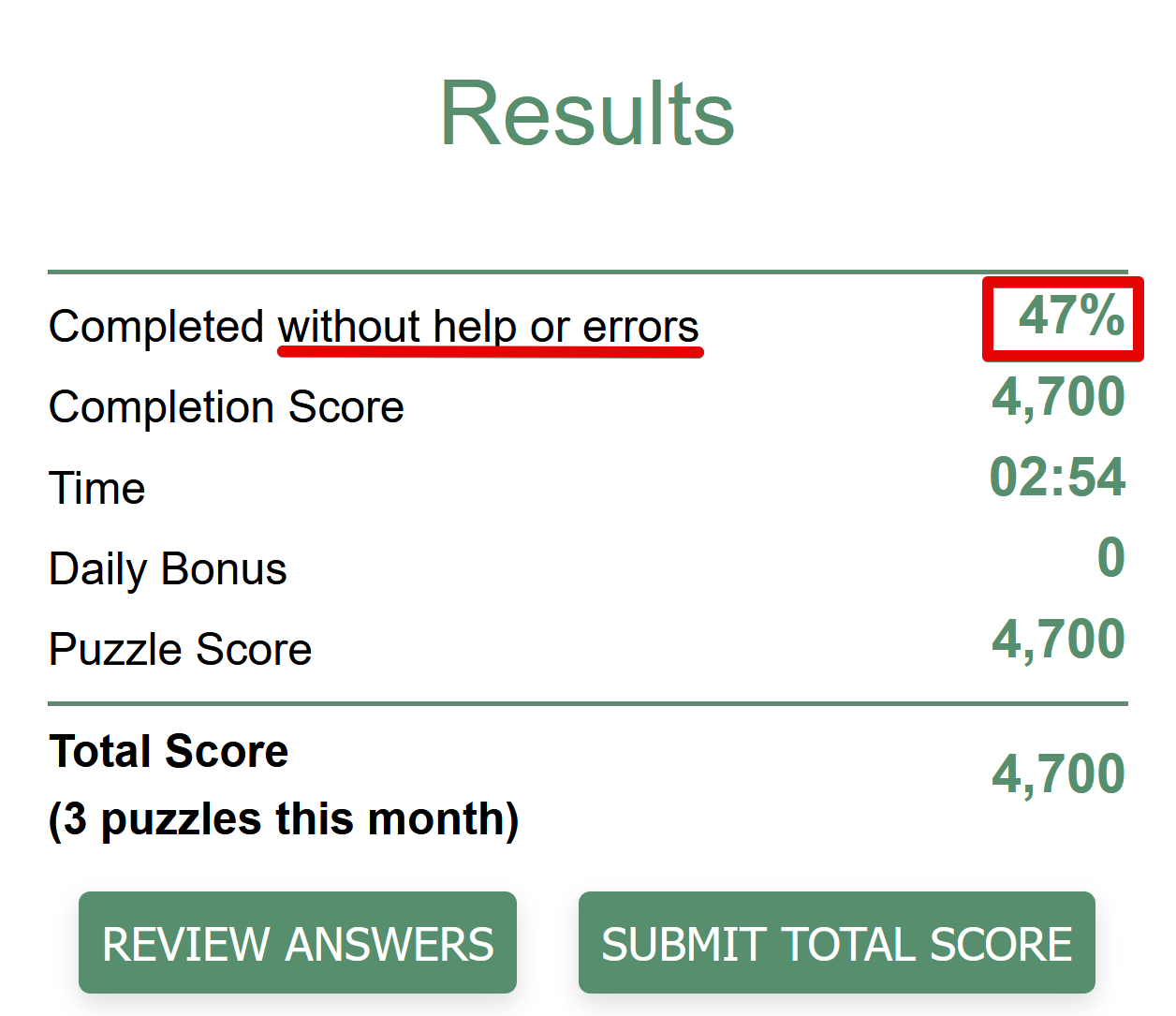
As you can see, the results screen in the puzzle itself notes "Completed without help or errors". This means that the "Reveal" function has not been used to find the words in this completion percentage, and no errors were made while the "Autocheck" function was on.
While the Calendar percentage counts all correct cels in its completion, the Results screen percentage only counts what was completed without any help or making errors.
Either of these percentages will be affected if you have an error in your Crossword, or miss any cell. Check the below example. One of the letters is the wrong one. Due to this, the percentage will not be counting this particular letter.
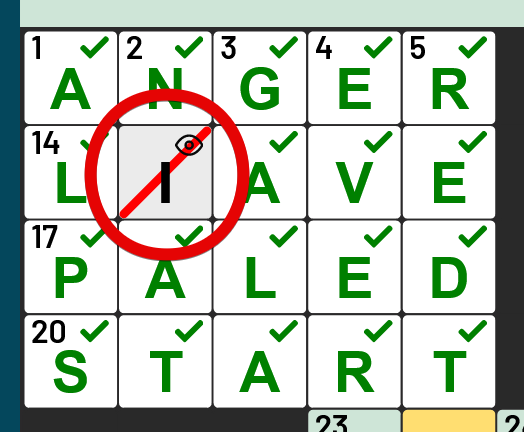
In the below example, there is a letter missing. This cell will also be missing from the total percentage.
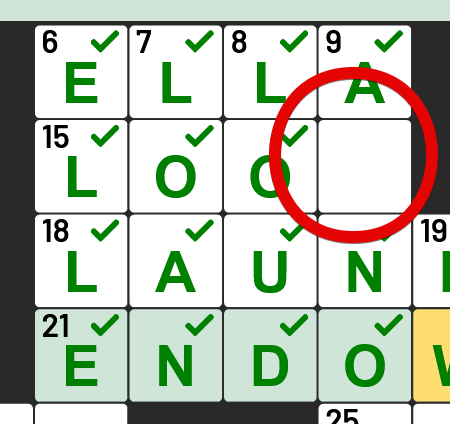
Always be careful to check if the entire puzzle is completed before submitting it at the end, and verify if your answers are correct, if you want a complete percentage.
Helpful tips with the Arkadium Virtual Assistant!
Our brand new Virtual Assistant can be extremely helpful with Crossword puzzles. Instead of using the "reveal" option in an answer, why not ask for a small tip? By saying "Please tell me a tip on how to solve the following Crossword entry", then specify the number of letters and clue, you can arrive at the answer!
Here is a simple example:
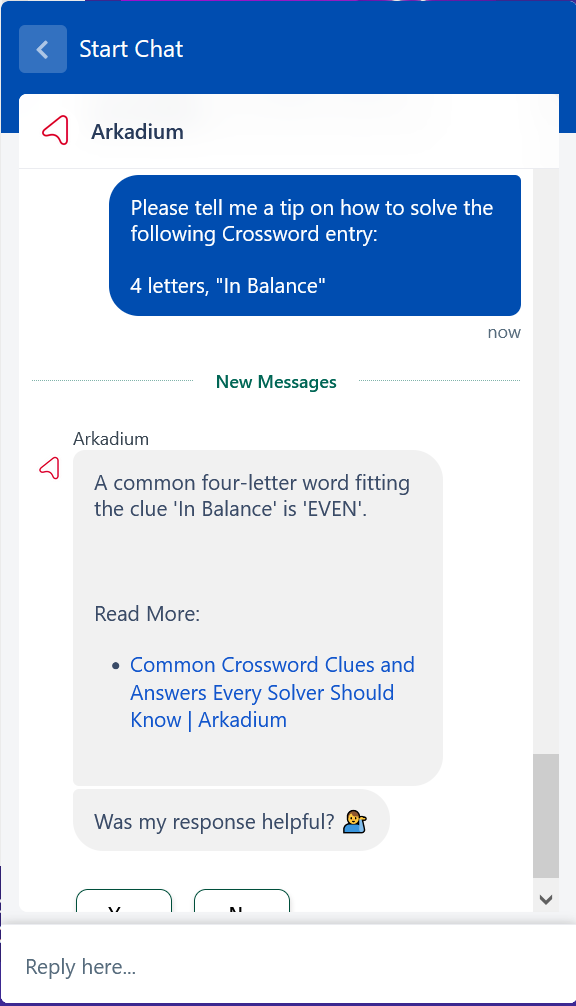
The Virtual Assistant is ready for any question you may have.
Repeated Puzzles
At times, you might find a few of the puzzles that we provide to be familiar. The Crossword games use some of the older puzzles in their archive from time to time. This is due to our very large amount of Crossword games in the website, we are unable to always provide brand new material for each and every one. Due to this, some older puzzles can sometimes be placed in rotation.