This is a guide to our original Mahjongg Solitaire Game. We currently have a sequel to this game with brand new updates and features, called Mahjongg Solitaire II. You can check out the guide for it Here.
Use the list below to navigate specific topics about Mahjongg Solitaire.

General information. Mahjongg Solitaire is a solitaire matching game that uses a set of Mahjong tiles. The 144 tiles are arranged in special layouts with their faces upward. Players can only match pairs of tiles where each tile has at least one side (left or right) free and no other tiles placed on top. Matching tile pairs can be removed by clicking on each tile in the pair.

Goal. The goal of the game is to clear the layout by pairing up all the tiles. Solving a Mahjong Solitaire board puzzle is all about avoiding a situation where there are no matches left. There is always at least one valid solution for the board.
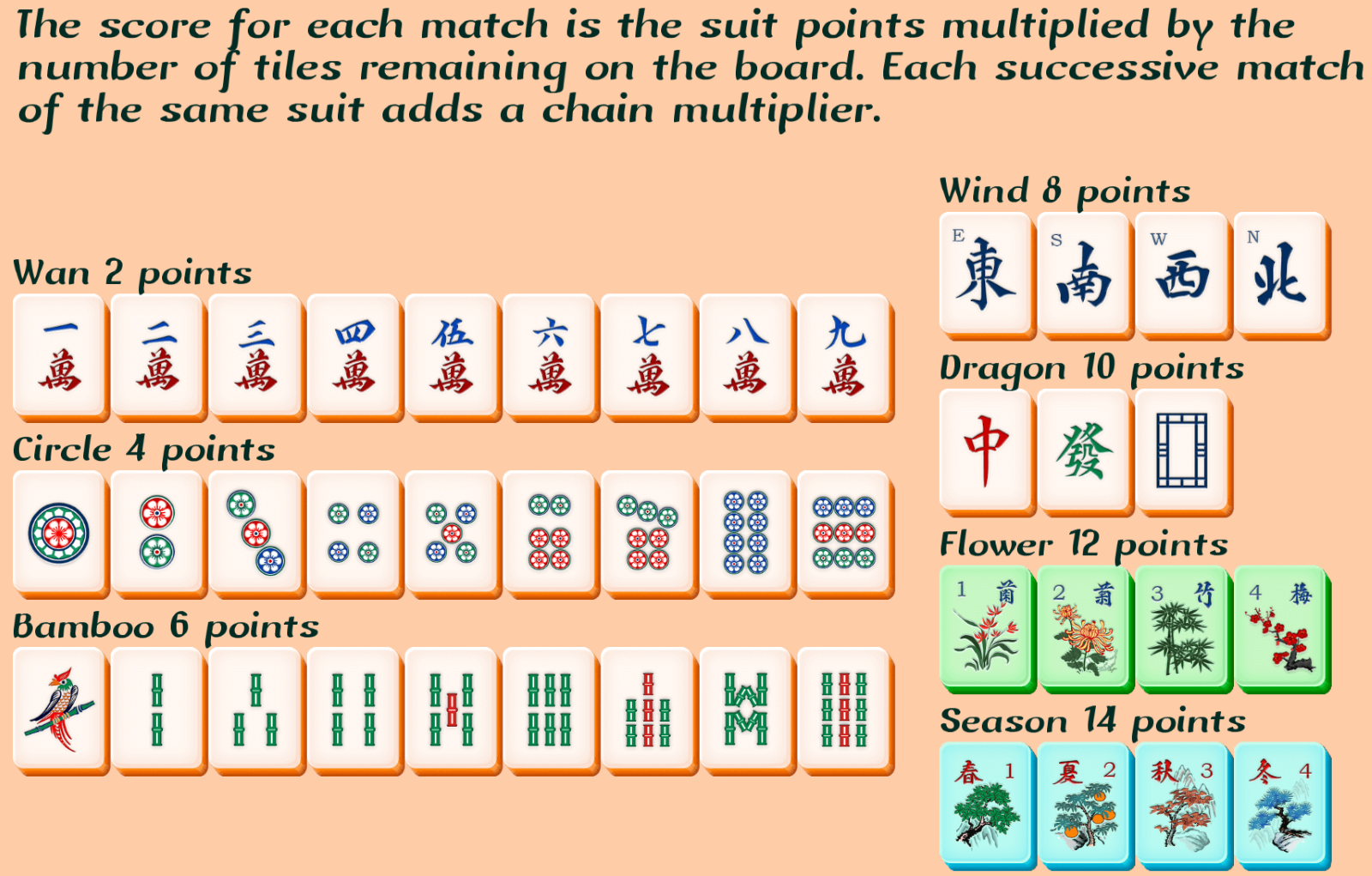
A player can only remove the tiles one pair at a time. There are a total of 72 pairs in a game of Mahjongg Solitaire. Like cards, the tiles have standard suits. These suits are Wans, Circles, Bamboos, Winds, Dragons, Flowers, and Seasons.
Matching of tiles. Exposed pairs of identical tiles are removed from the layout one at a time, gradually exposing lower layers to play.
NOTE: Seasons and Flowers are the only suits you do not need to match exactly. Any Season or Flower combination counts as a pair because there is only one of each tile
Starting the game. When the game first loads, you'll see the main menu. You can click on New Game to start a brand new game, and on Continue to continue a game in progress. Your icon will be on the bottom right to signify your account being signed in, and the settings menu.
Selecting Layout. Mahjong Solitaire now has different shapes available to start your game. After clicking new game, start with the easier Standard or try a harder challenge with Fortress, Two Hills, Waves, Stairs and Ziggurat.
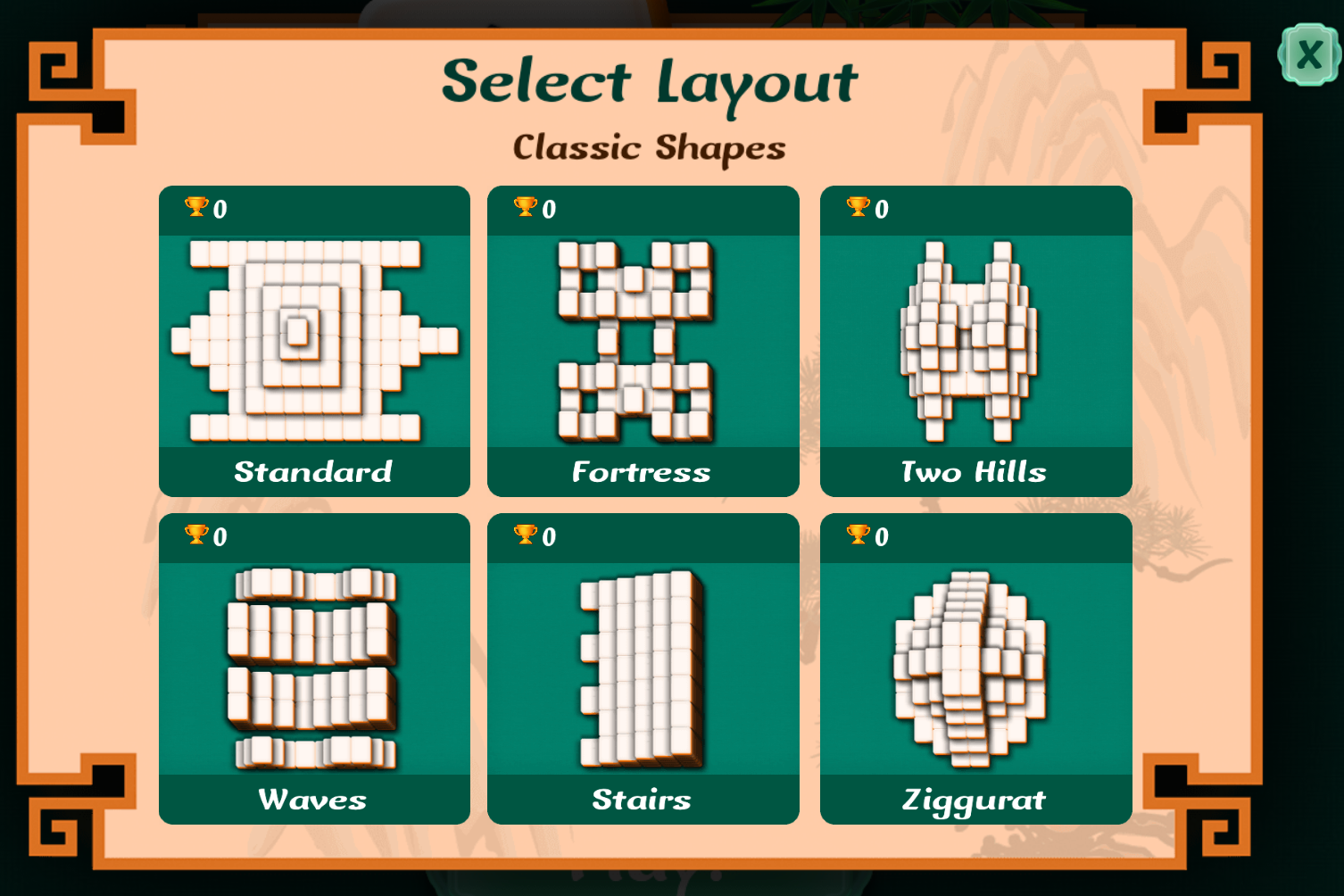
You can see your number of victories in each format by the trophy icon in the top left. To exit, click on the X on the top right.
When starting the game, the current pairs you can match on the board are visible on the top left, as well as the game's timer.

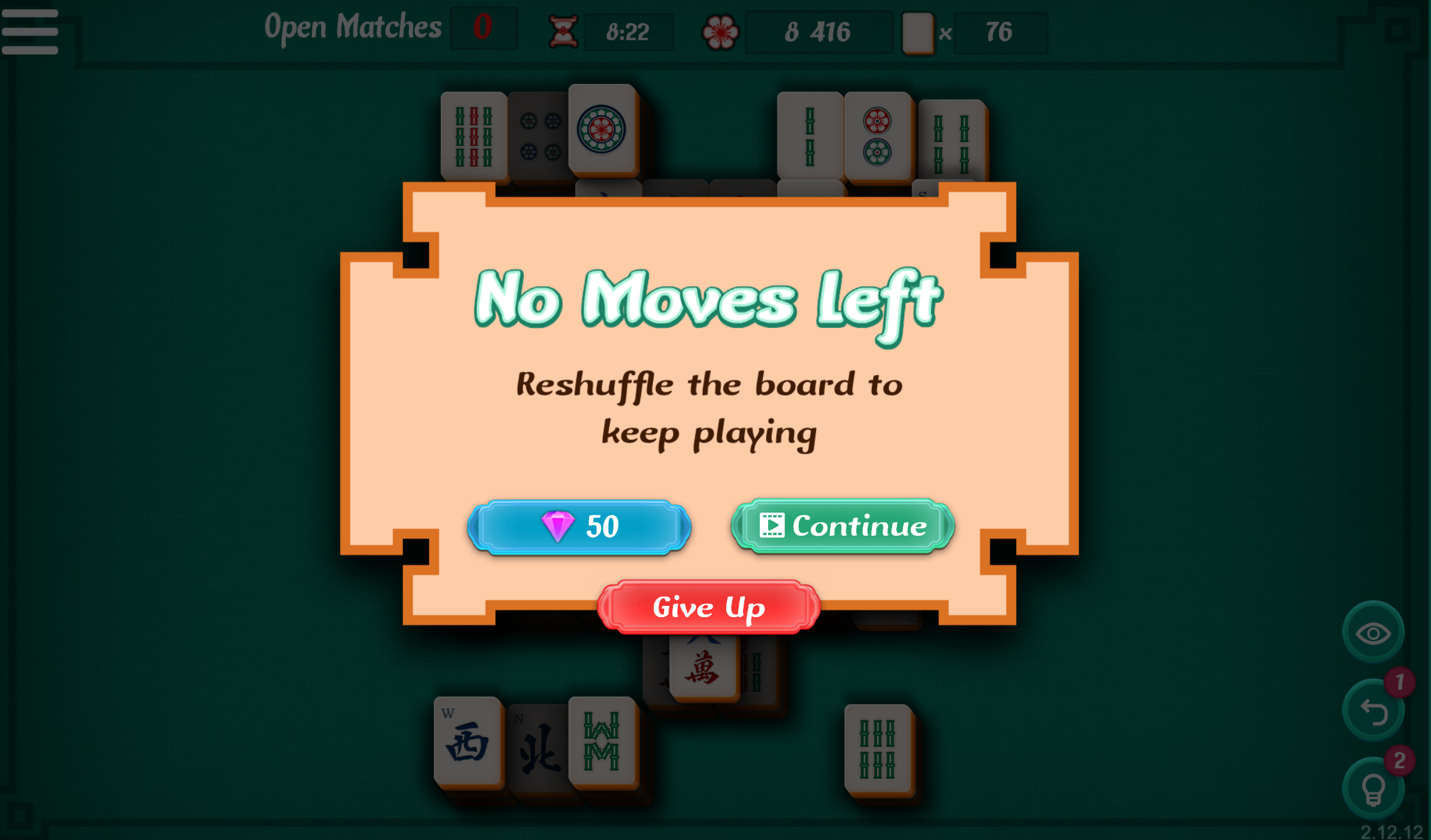
If you no longer have matches available, you'll lose the match. However, you can reshuffle by using 50 Gems or watching an ad and continue the game.
Options to play Mahjong Solitaire are available to you in the newest version of the game. These include three new buttons on the game screen.
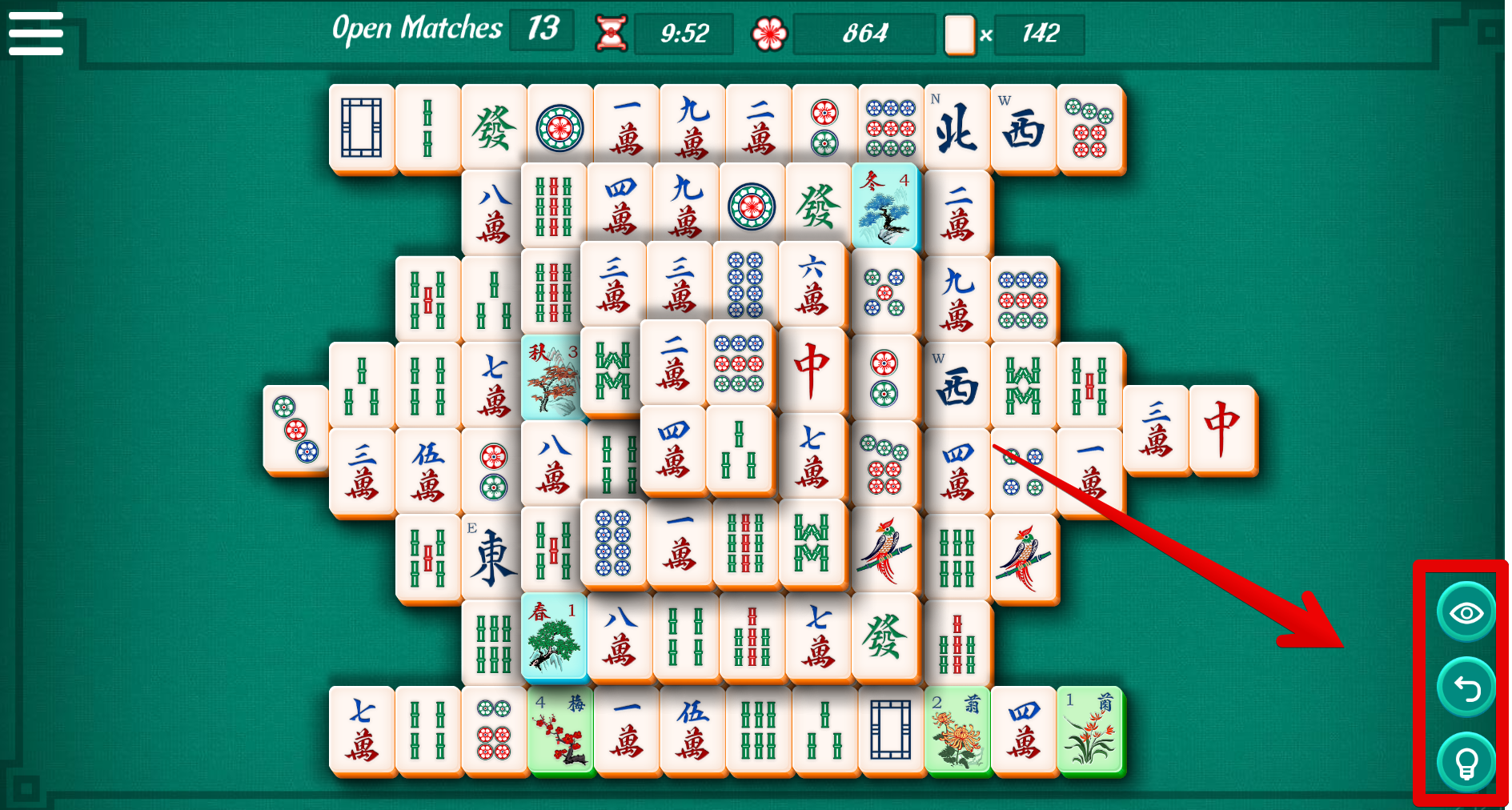
These three buttons include a Look button, an Undo button and a Hint button.

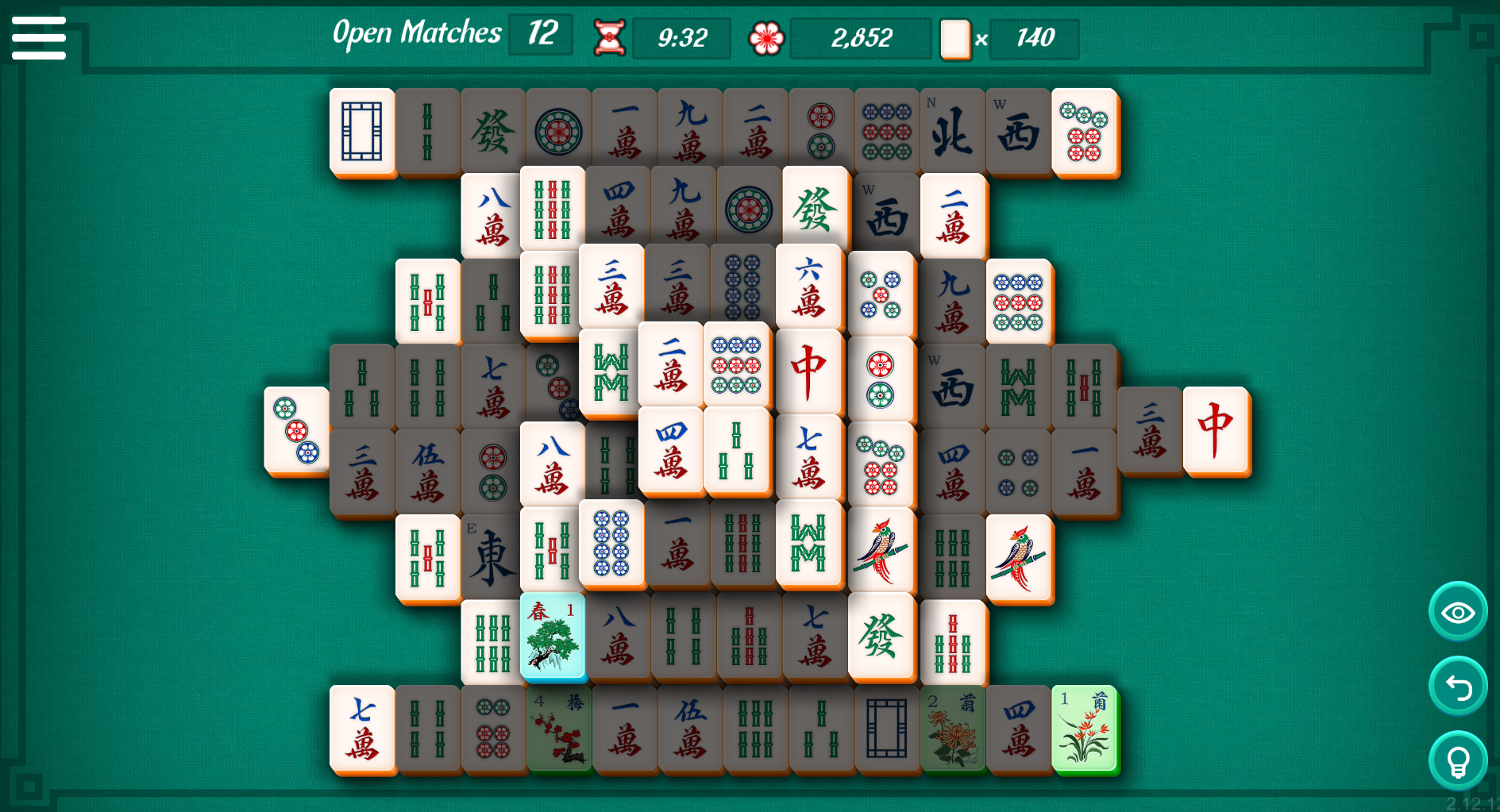
Look will show the entire board in a darkened way, with only the selectable tiles highlighted. This will make it easier to show all the direct pairs. Be careful playing like this, as strategizing for future pairings will be harder!
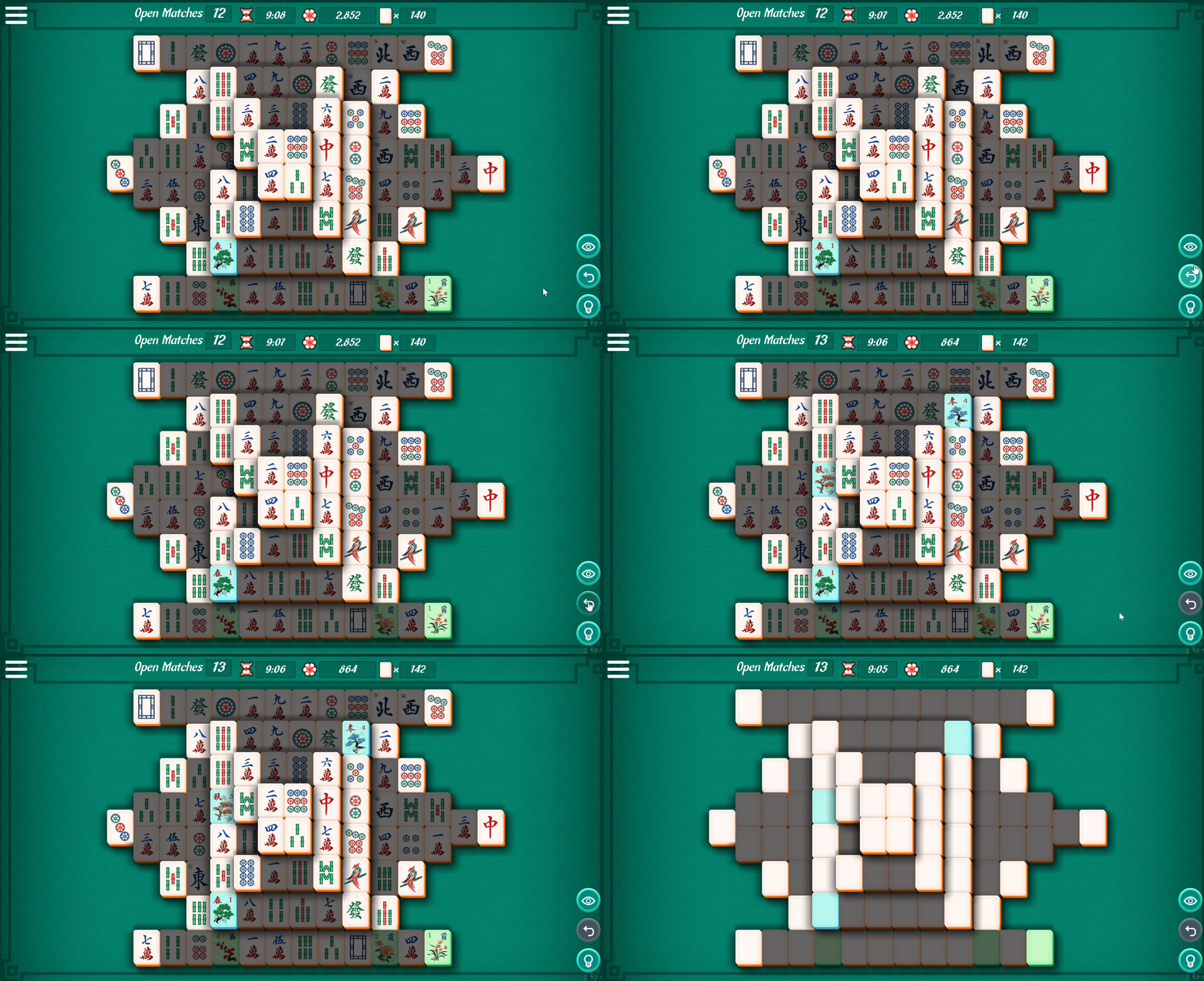
Undo will undo your last move, making it so that you can replay a mistaken match if you feel like it.
Hint will give you a hint of the next pairing you can choose. It's not intended to be the best possible move, simply one of the available moves.
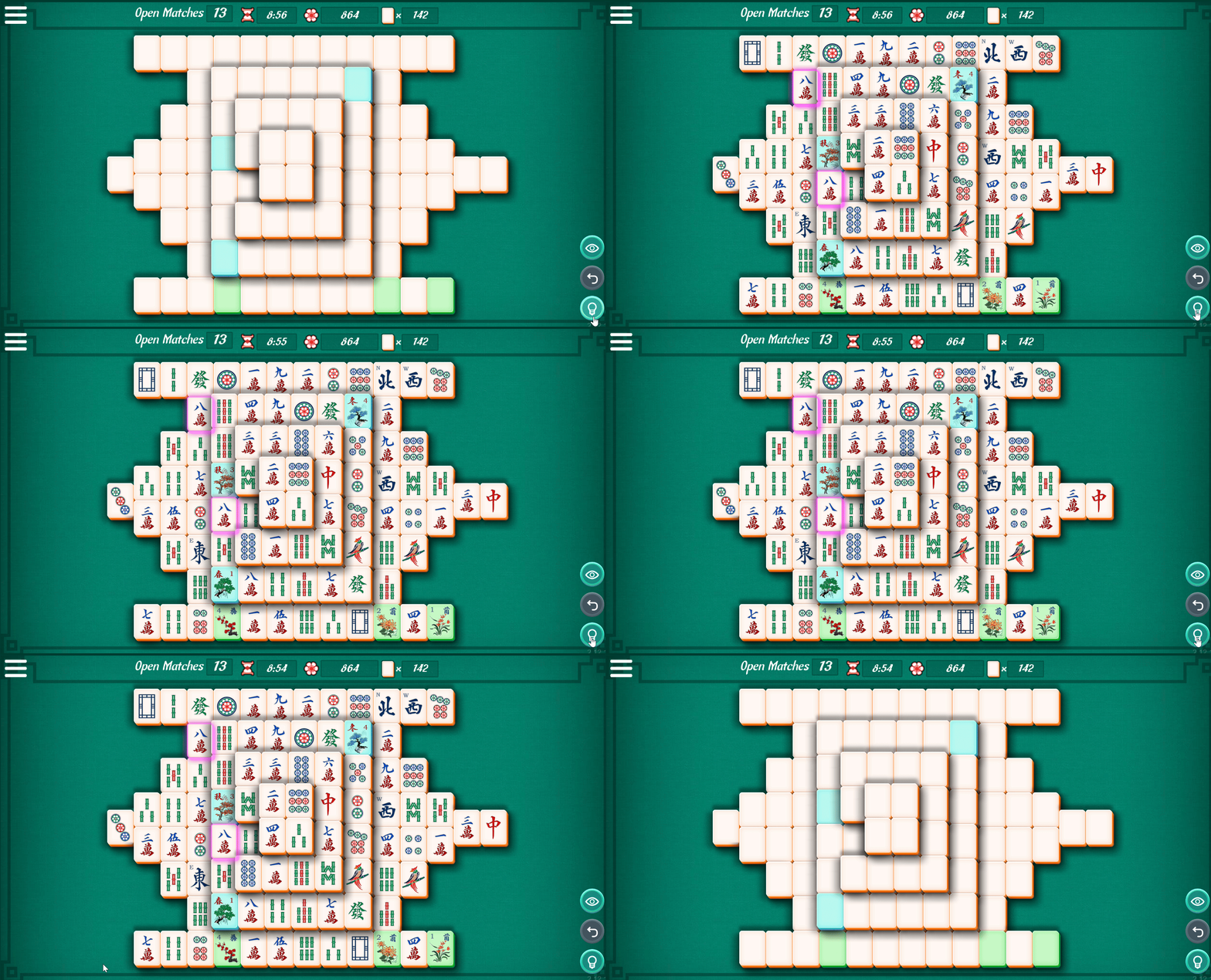
Make sure to use these options to keep your match going.
NOTE: This is only accessible in the Mahjong Solitaire version of the game. The Mahjong Solitaire version of the game only has the Hint button.
Tips
1. Prioritize Tiles That Unlock Others
Focus on removing tiles from the highest stacks and the ends of longer rows. These matches expose more tiles, increase your available options and reduce the risk of running out of moves.
2. Choose Between Identical Tiles Carefully
When several identical tiles are available, consider which pair will create the most future matching opportunities. Avoid selecting the first available pair without considering the surrounding tiles.
NOTE: if you have a pair that does not open any way to other tiles, leave it until you need it
As you can see in the example below, removing the top tile opened 5 more matches. That is extremely useful! This made it so you have five extra tiles to use for other matches.

3. Adapt Your Strategy to Each Layout
Each of the six available layouts presents different challenges. Identify the most restrictive areas early and prioritize clearing them before they become difficult to access.
4. Make Effective Use of the Available Tools
Use Look to highlight selectable tiles and Undo to reconsider unfavorable matches. The Hint feature carries no scoring penalty, but remember that it identifies a possible match, not necessarily the best one.
5. Maximize Your Chain Multiplier
Match consecutive pairs belonging to the same suit to increase your Chain Multiplier. Aim to build longer chains early in the game, when the Remaining Tiles Multiplier is at its highest.
6. Prioritize High-Value Tiles Early
Seasons and Flowers are the highest-scoring suits, awarding 14 and 12 base points per pair respectively. Any two tiles within either of these suits can be matched, making them particularly useful for increasing your score and unlocking difficult areas.
Settings
By pressing the gear icon on the top right, you can use different settings in the Mahjong version of the game. The Mahjong Solitaire version of the game will have a different menu.
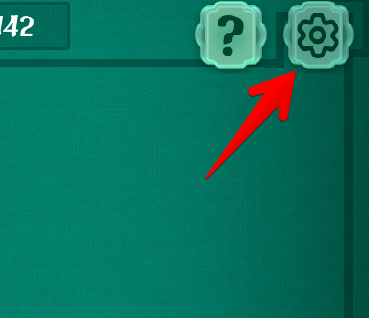
The Sound Icon allows you to turn on and off the sound in the game.
The Arena Icon allows you to know more about the creators of the game.
The Door Icon allows you to exit the game and post your score.

Disable the falling petals. You can disable or enable the game's falling petals effect in the menu. Should the falling petals not be to your liking, or should they be too distracting, we now offer an option in the menu to turn them on or off. Simply select click on the petals icon on the top right of the menu, as pictured here.
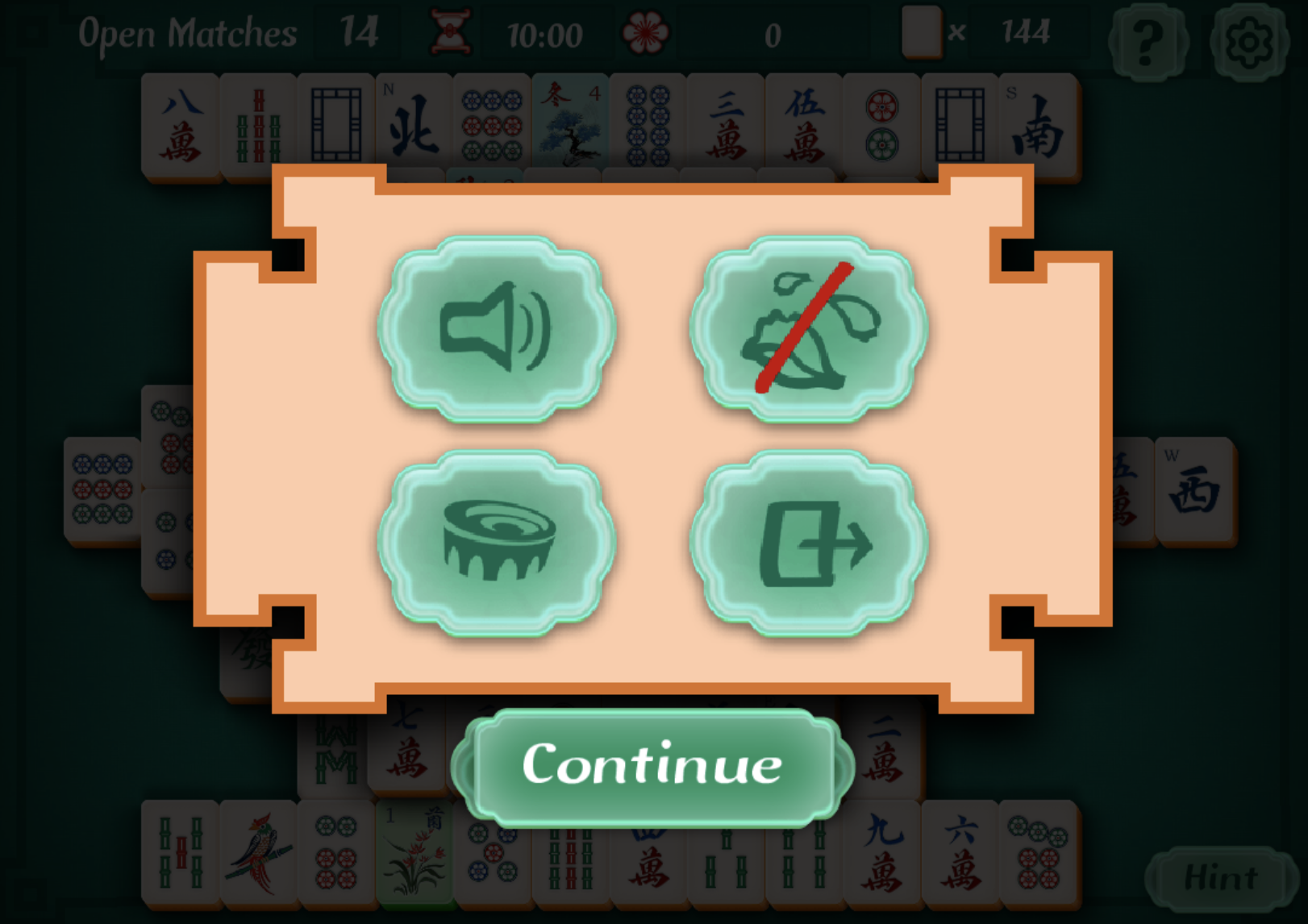
NOTE: This is only accessible in the Mahjong version of the game. Scroll further down to check how to access settings in the Mahjong Solitaire version of the game.
Mahjongg Solitaire Settings: When clicking on the hamburger menu on the top left, you can access the settings. Settings will allow you to mute sound and music, and to turn the petals on and off.

NOTE: This is only accessible in the Mahjong Solitaire version of the game. Scroll further up to check how to access settings in the Mahjong version of the game.
All these tips may look intimidating the first time you play Mahjong solitaire, but don’t worry! This game is easy to learn but challenging to master. You will learn everything eventually, leading to fewer unsolvable situations after each successful game.
My tiles are blank, what happened?
You might encounter a situation in which the Mahjongg Solitaire tiles appear to be blank. they will appear to you like in the screenshot below:

This occurs when you click on something outside of the range of the game, or when another window, application or program is selected instead of the game. Selecting an outside window or application will pause the game. Because the game is paused, it would be unfair to show the tiles, as this would give an advantage to players to pick the correct tiles by pausing the game, bypassing the timer rules. So for this reason, pausing the game by selecting a separate window, program or application, will also show the tiles as blank.
If you're having issues with the tiles appearing as blank dispite not having any program on top, please check on whether any of your programs or extensions may be causing this. If you're unable to find anything, be sure to contact support for help.
Scoring
At the end of a match, the final screen will appear, showing you your base score, completion statistic and your final score.
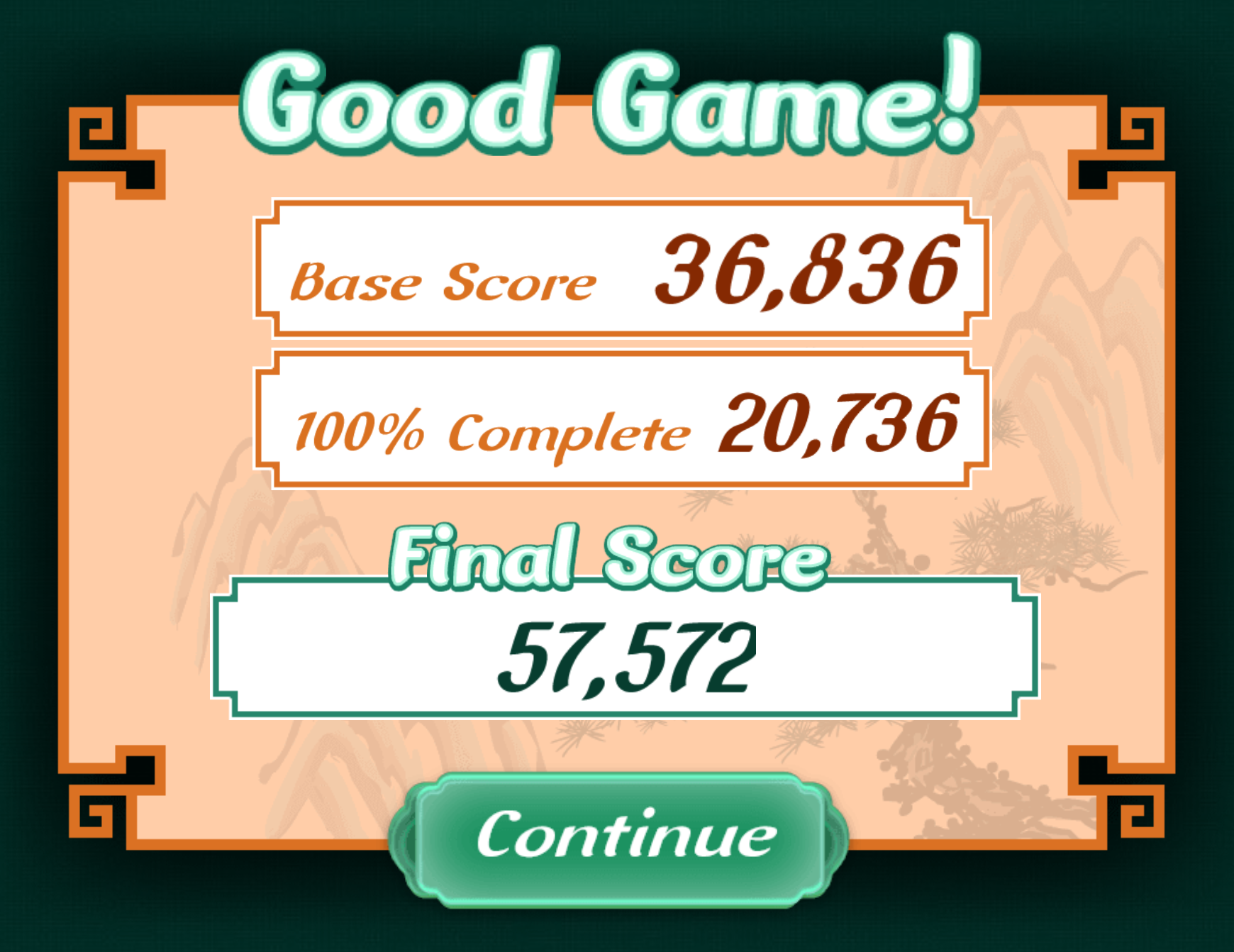
Here is how your final score is calculated:
General Formula:
Final Score = Score for each suit * 2 * Chain Multiplier * Remaining Tiles Multiplier + Bonus Score.
NOTE: using the hint button doesn't affect the scoreChain Multiplier = 1. Increases when you match the same suit in a row.
Remaining Tiles Multiplier = Number of remaining tiles on the board
Bonus Score (percentages) = Number of Pairs Matched * 2 * 144.
Each suite is worth a different value:
Suite | Points per tile | Points per match |
WAN | 1 | 2 |
CIRCLE | 2 | 4 |
BAMBOO | 3 | 6 |
WIND | 4 | 8 |
DRAGON | 5 | 10 |
FLOWER | 6 | 12 |
SEASON | 7 | 14 |