
At times, you might want to change your settings in the game to turn off the sound. Most games have their own Options Menu where you can adjust the game's sound effects and music. These are usually two different options, to give you more control over the setting. Make sure to access the menu in each game.
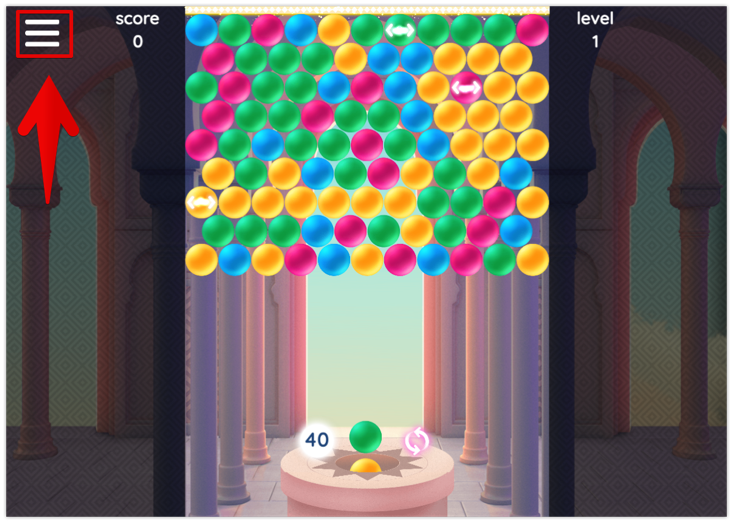
There are some variants how the game menu button can look:
- The “Hamburger” icon.

- The "Pause" icon.

- The "Gear" icon.

- The "Menu" button.

NOTE: the Options menu button will usually be located at the top right or top left corner of the game. It will also pause the game so that you can freely access these options without gameplay concerns.
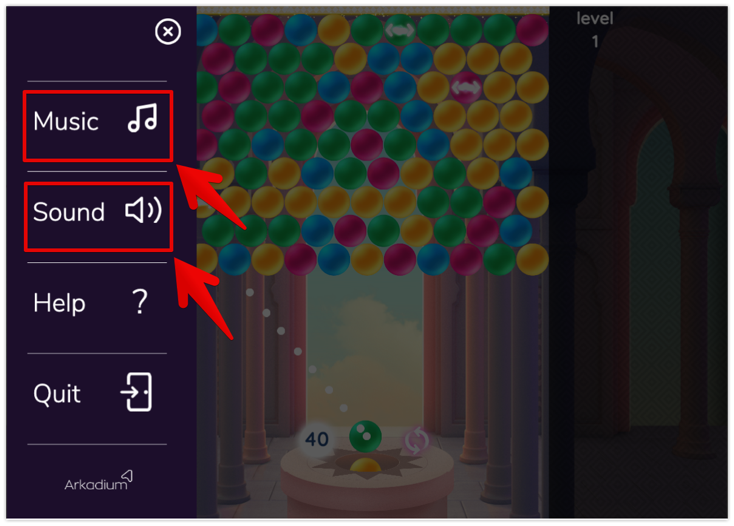
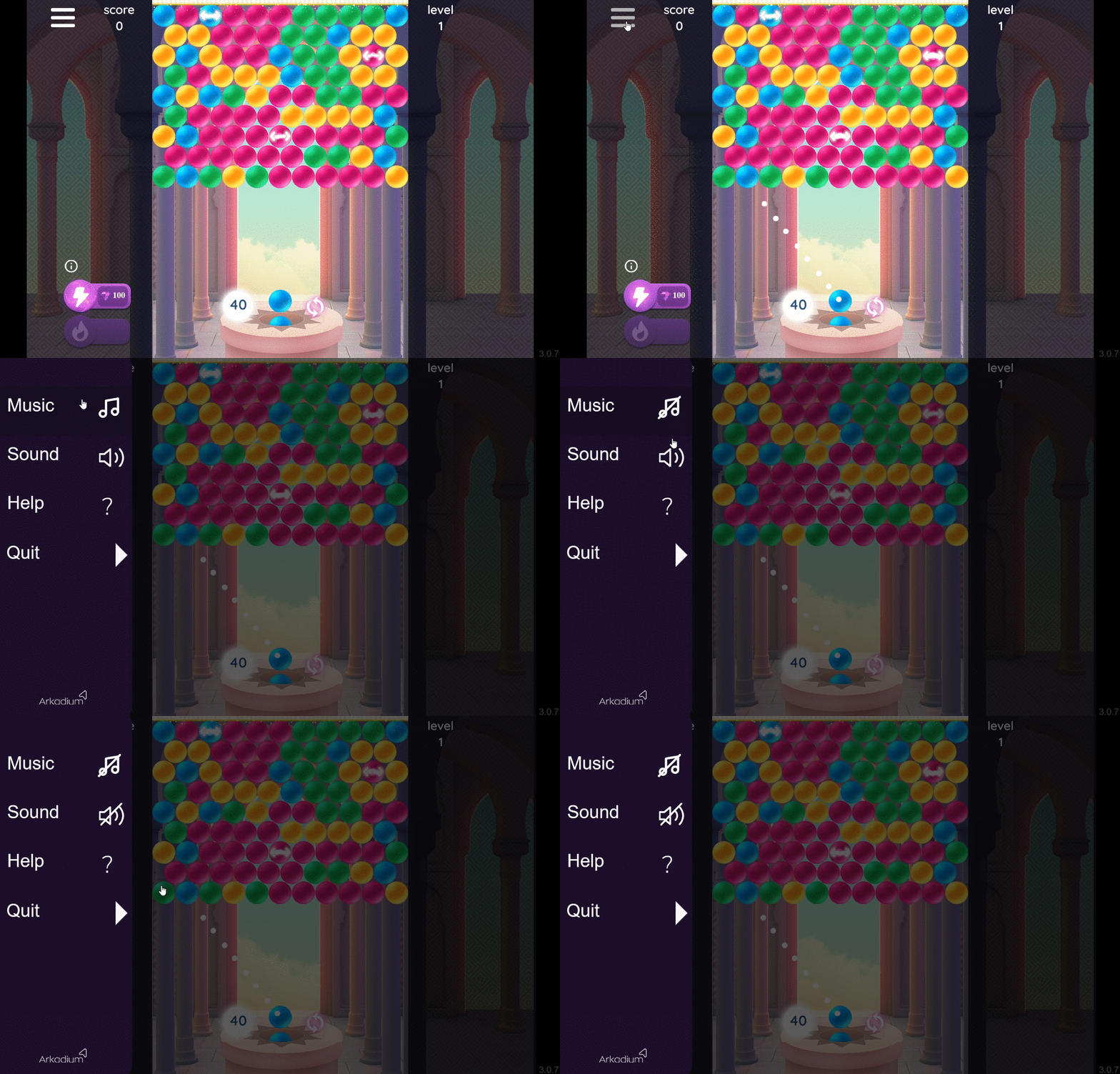
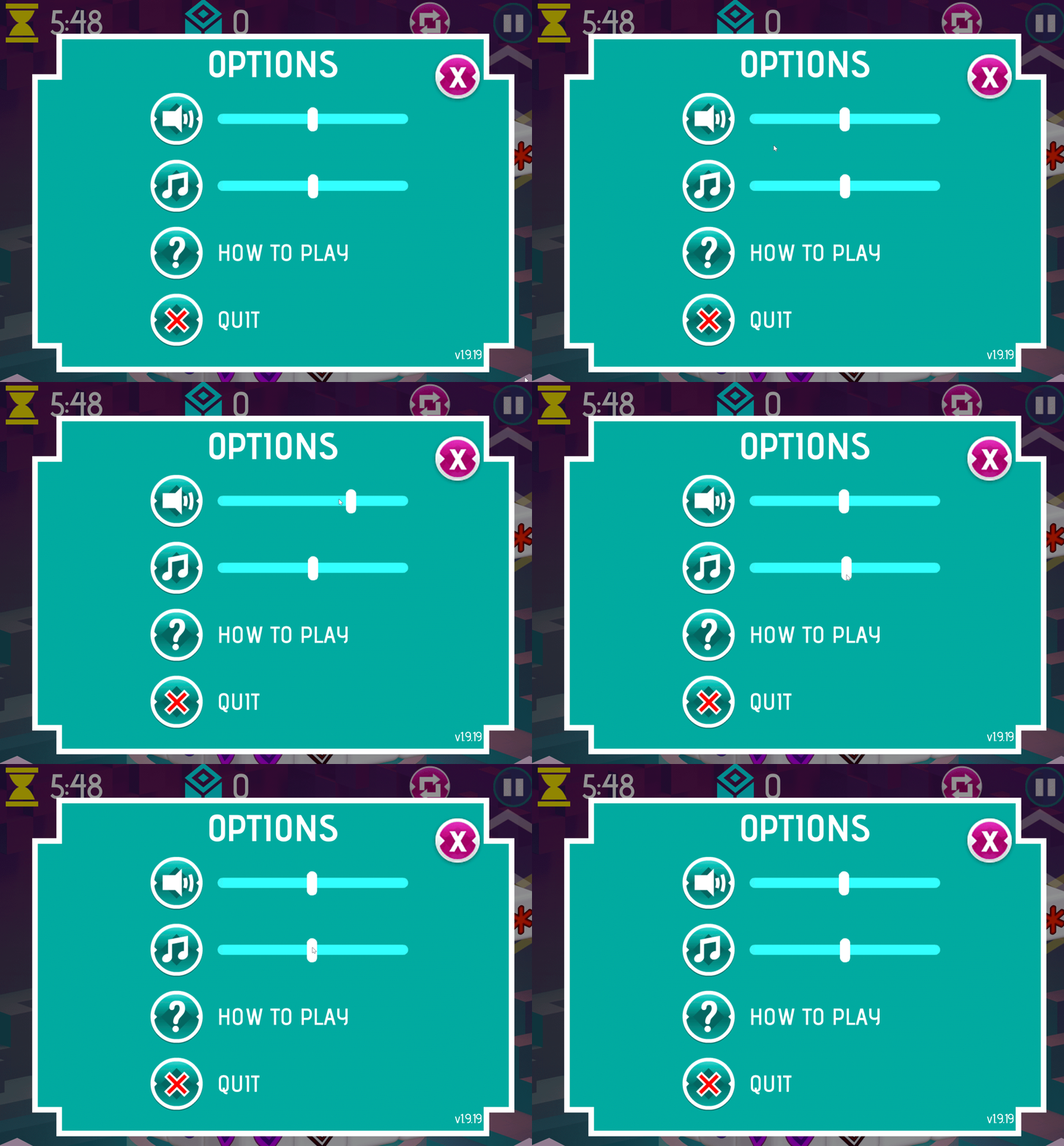
Open the in-game menu to toggle the sound controls to your preference. As shown in the screenshots below, click on the menu, and on the Music and Sound icons to mute them. You can then go back to the game.
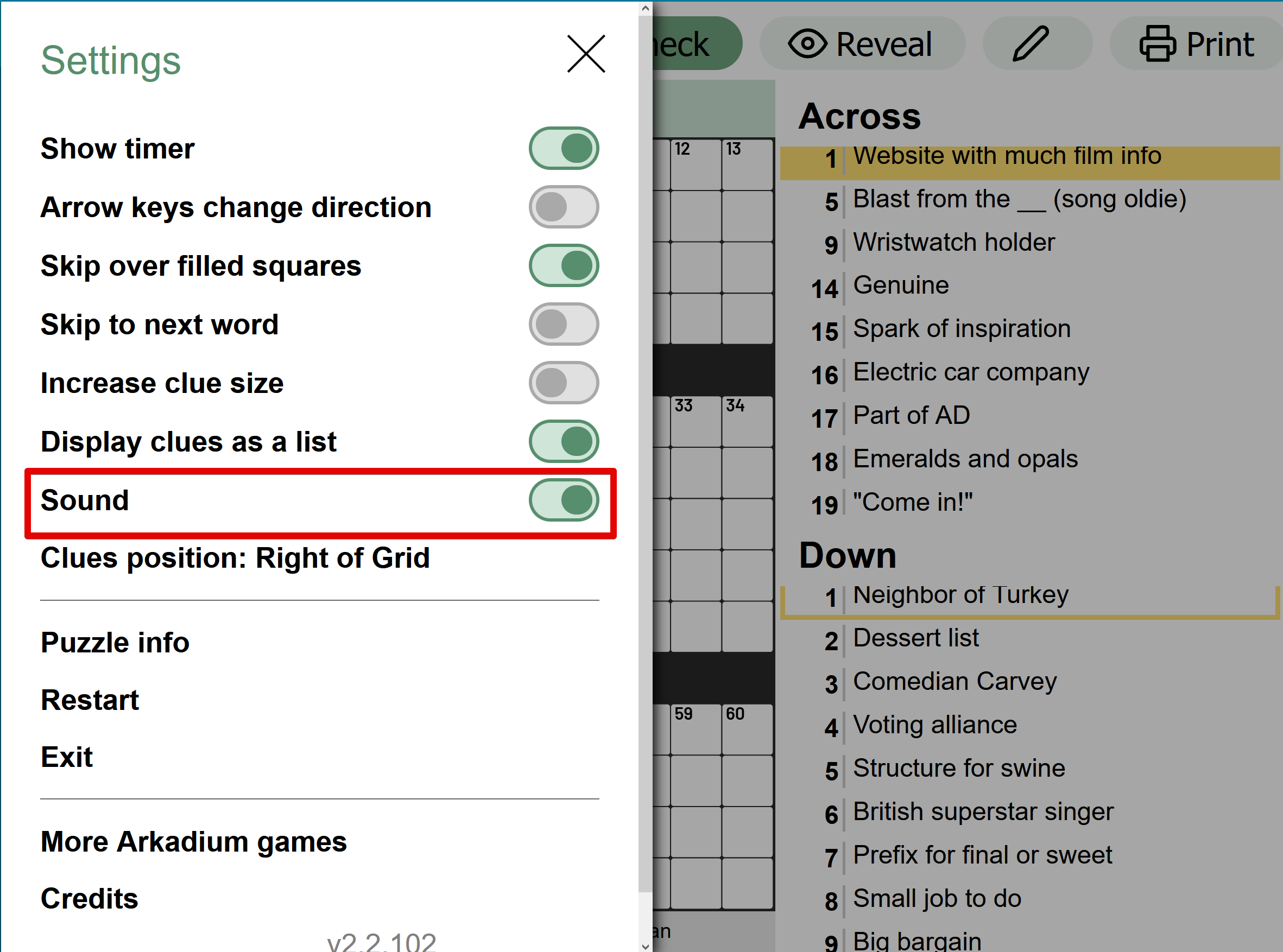
On different menus, the sound might take the appearance of a direct switch instead of an icon. This is present in the Crossword puzzles, for example.
You might also have menus with volume bars, that allow you to shift the volume up and down to your liking. You can still click on the icon to mute it outright.
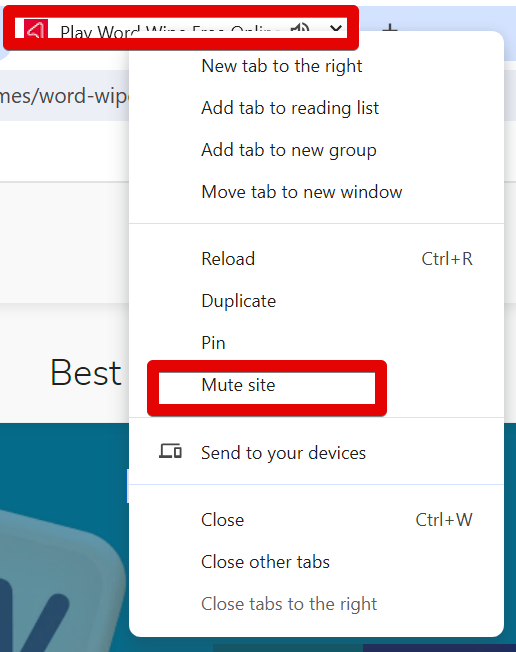
You can mute all of the sound at once that is coming from the website if you need to. Should you wish for an overall mute of every sound that is coming from the internet browser tab where you're playing the games, you can right-click the tab, and select "Mute". This will mute the sound in all games. Please do this if you'd like to mute all sounds. This will not mute every tab in your browser, so you can have music playing in a separate tab if you like.
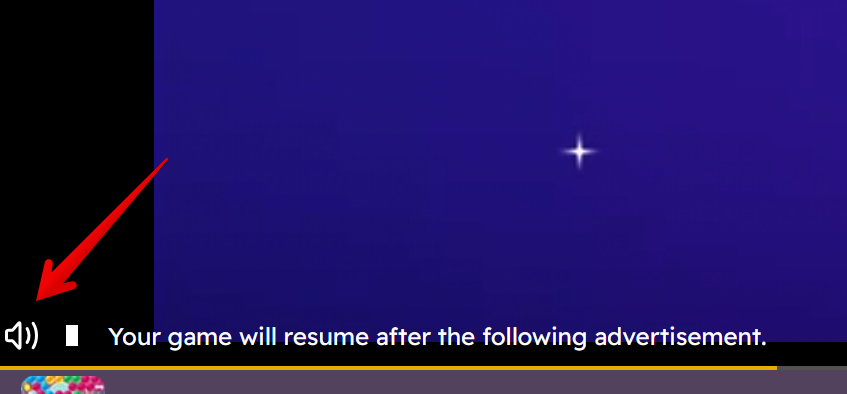
You can also mute the sound in ads should you like.
To do so, when an ad plays before or in the middle of a game, click on the sound icon on the lower left to mute it for the rest of its duration. You'll have to do this for each time a game starts.
Warning: It's possible that when other elements are running on the background of a game, game sounds may be affected. This includes computer programs, other browser tabs, apps or even ads running in the game page. Please check whether a page element might be affecting the game's sound.